

What you need to know
- Minimum age rating – 13+
- Available on – iOS, Android, browser, smart TV, consoles
- Main features – Video streaming, live tv
Video guide
How to set parental controls on BBC iPlayer
You will need access to your or your child’s BBC iPlayer account.
Enabling PG Lock
The Parental Guidance (PG) lock is device and platform specific. Setting up a 4-digit PIN on a web browser will not automatically apply the lock to your mobile or tablet app, Smart TV, or streaming stick. You must enable the parental controls separately on each device and browser you use.
To enable PG Lock:
Step 1 – Scroll to the bottom of the iPlayer homepage and select Parental Controls.
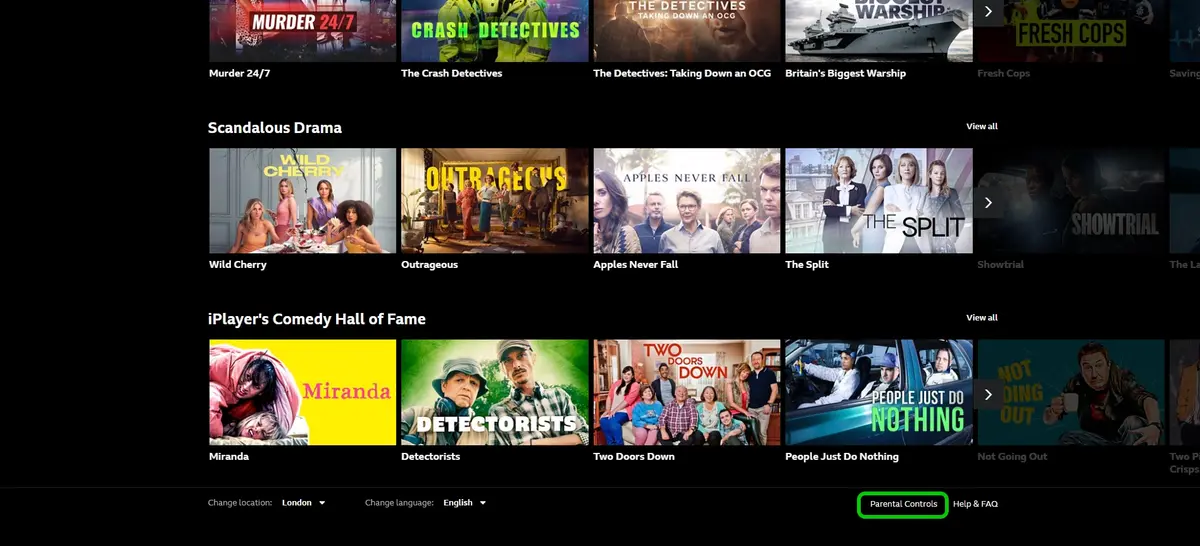
Step 2 – On the Parental Controls page, select Turn on PG Lock.
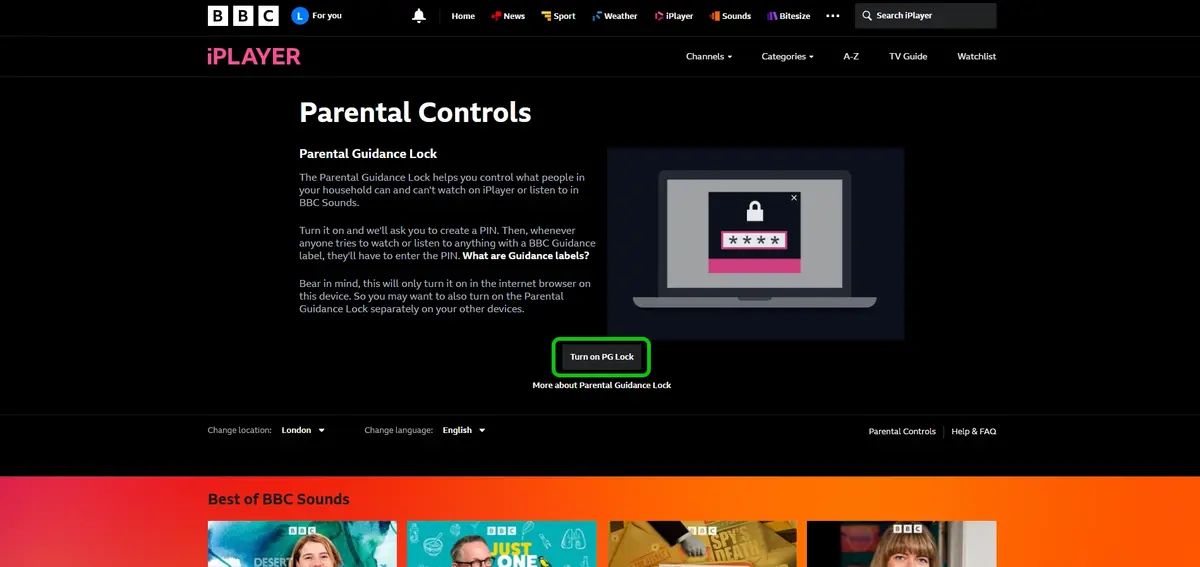
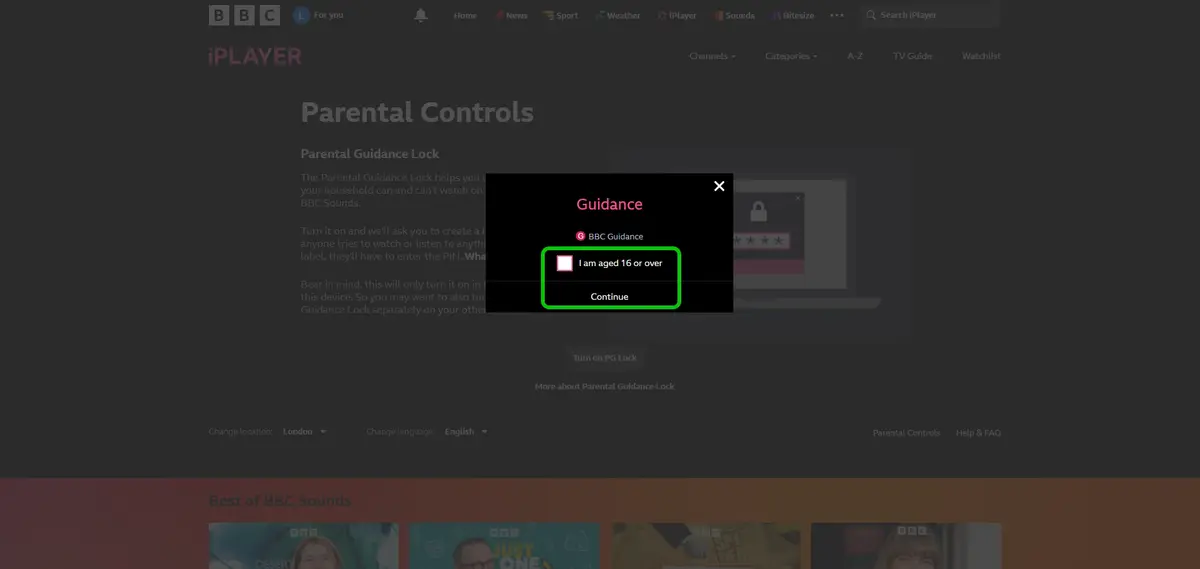
Step 3 – Check the box marked I am aged 16 or over.
Step 4 – Confirm PG lock and Continue.
Step 5 – Choose a 4 digit PIN.
Step 6 – Click Activate.

When anyone tries to watch content marked with a ‘Guidance’ label, it will ask for the PIN to be input before the content can be viewed.
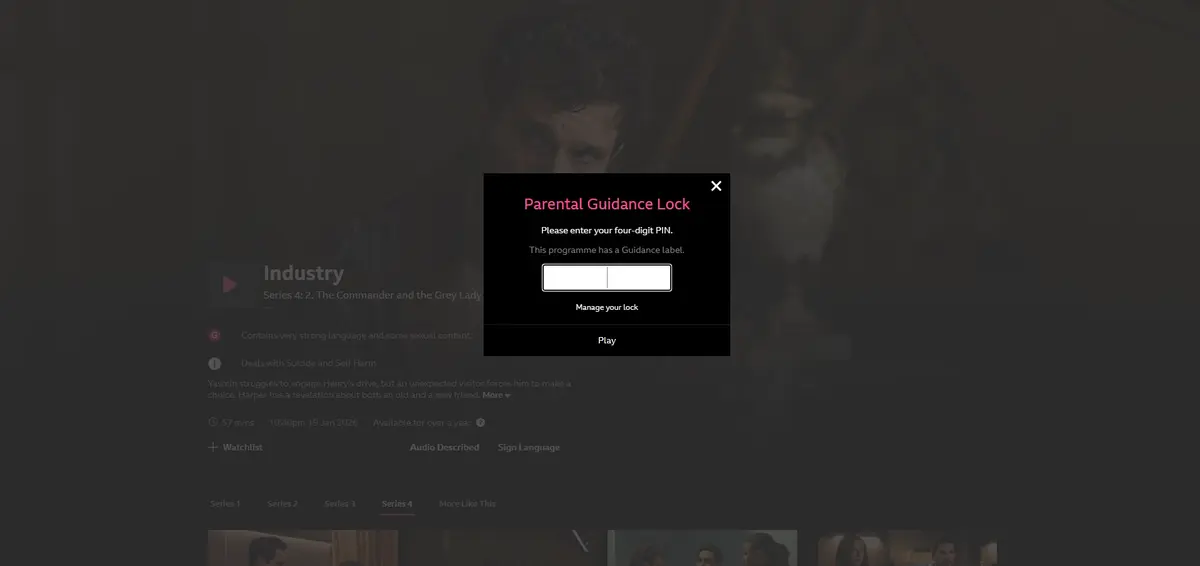
Creating a child account
Step 1 – From the iPlayer homepage, select For You.
Step 2 – Select Add child.
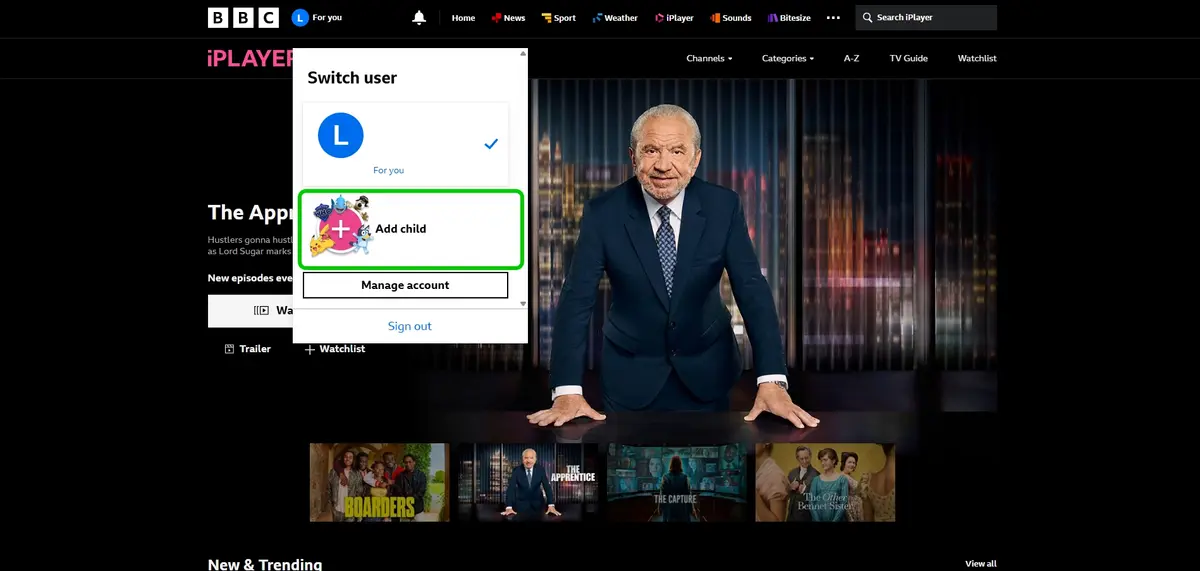
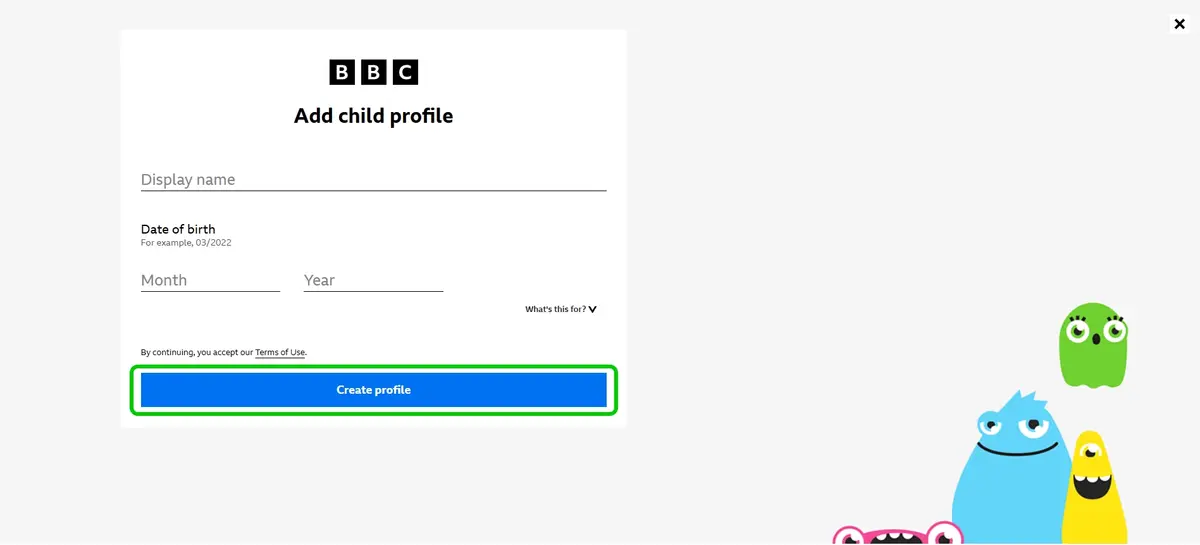
Step 3 – Input your child’s details.
Step 4 – Click Create profile.
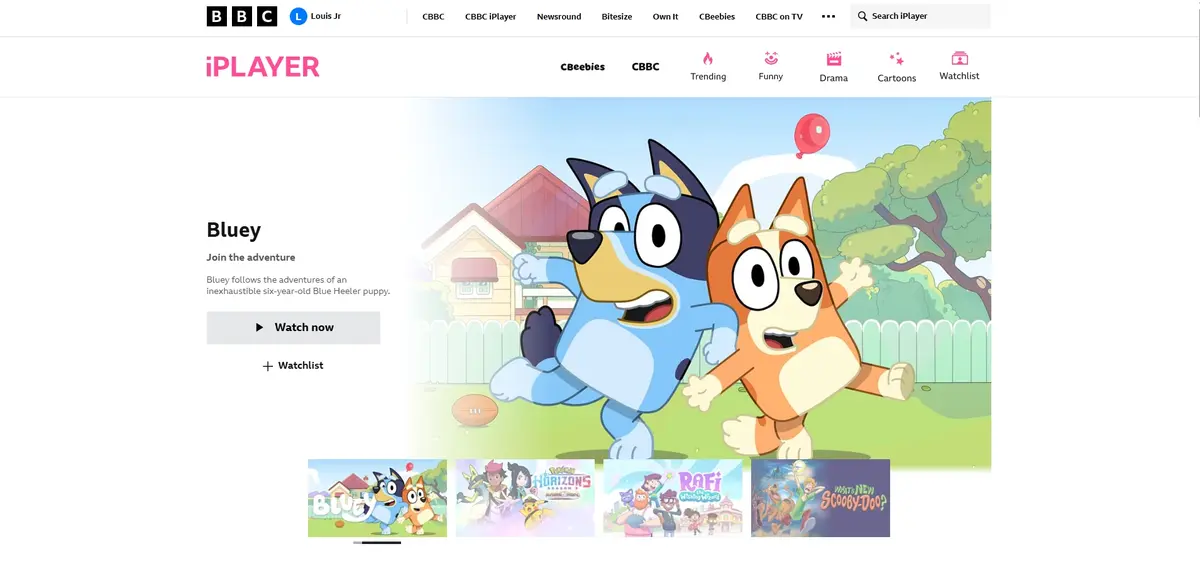
Your child will now be able use iPlayer while only having access to child-appropriate content.
Enabling parental controls on app
Now the child’s profile and parental controls are enabled on the browser, remember to activate the same controls for other devices.
To enable controls on the app:
Step 1 – From the iPlayer app homepage, select the gear icon in the top right and select Parental controls.
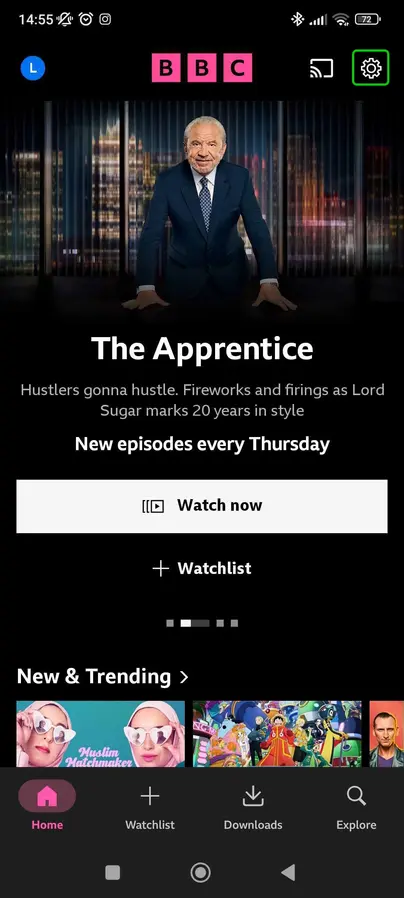

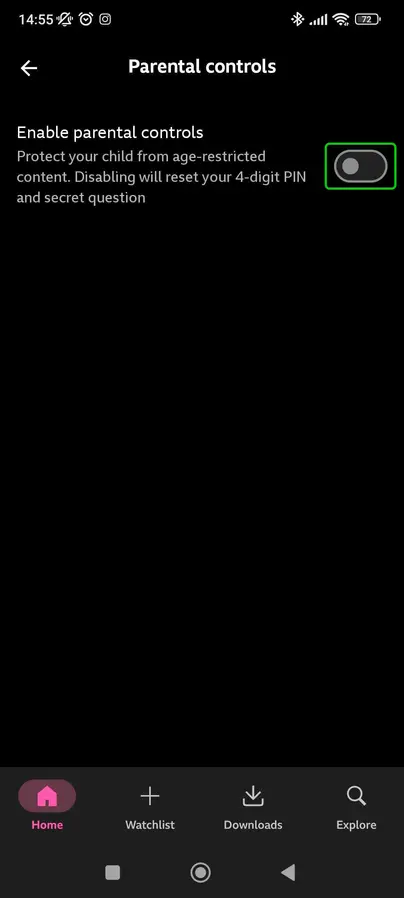
Step 3 – In the Parental controls menu, switch on the toggle.
Step 4 – Choose a 4 digit pin and set up the security question. The pin and parental control is specific to each device and browser you use
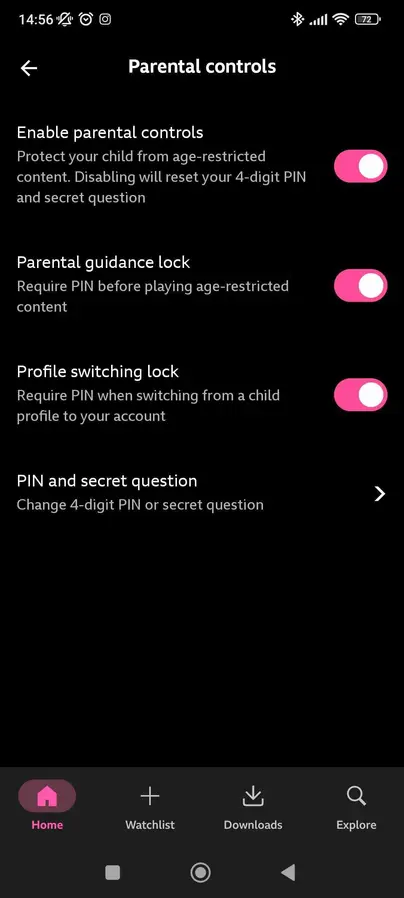
Step 5 – Use the toggles to manage parental controls. The app will ask for the pin to view content with a Guidance label. A pin will also be required to switch to the parent account, adding another layer to the safety feature.

How to set parental controls on BBC iPlayer
View more guides
Discover more parental controls to manage children’s devices, apps and platforms for safer online experiences.