Privacy is a key part of keeping children safe online, but what does it mean? Use the guidance below to help children with additional needs better understand staying private online.
In the early days of the internet, using fake names and details was the norm. However, now there are video games streamers and social media influencers sharing their lives with the world. This blurred line between private and public can make it difficult for some children to wrap their head around their own privacy.
So, some children with additional needs might need support with:
Recognising ‘personal’ information;
Identifying information that is and isn’t okay to share with others;
Customising their privacy and security account settings;
Taking action if their privacy or security is compromised.
Identifying public vs. private information
Sharing private information with strangers can make it easier for harmful people to target your child. So, developing your child’s understanding of ‘private’ can help keep them safer.
Browse our suggestions below to find strategies that could work for your child.
Work together to create a list of different types of information that someone might share online. This could include: username, real name, country, city, school, family, etc.
Once you have a full list, mark each piece of information as green (okay to share) or red (not okay to share). Revisit this list often.
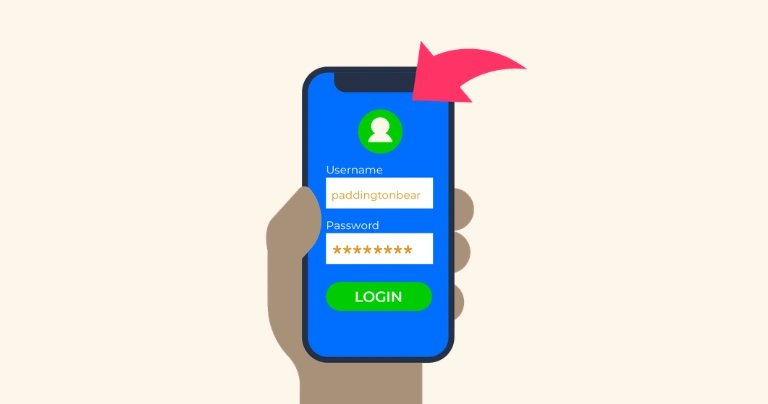
Together on a piece of A4 paper, create your child’s ‘online’ profile. On it, only include information that is safe for them to share with others. This could include a profile picture of a pet, a username without their real name and different types of safe pictures (e.g. scenery rather than identifying images).
Display this somewhere your child uses their device so they have a reminder.
These are things that users might ask your child, which could lead to oversharing and harm. The list can include phrases like ‘what’s your password?’ and ‘what school do you go to?’ Review and add to them regularly to help your child recognise when they should stop and tell you what’s going on.
Remember that ongoing conversations are a key part of your child’s online privacy. Children with additional needs often benefit from reminders and visuals, so wherever possible, display rules, lists and reminders.
Setting up secure accounts
Many platforms now use age verification, which gives children safer features by default. However, this isn’t always the case and your child might still be able to edit those settings.
Explore steps that you can take to make sure your child’s account is secure by browsing the advice below.
Popular platforms like Roblox and TikTok have parent accounts that you can set up. They give you the ability to set password-protected parental controls and review your child’s activity by linking their account to yours.
Set these up to get started tackling your child’s privacy.
Get your child set up with a password manager to generate strong passwords. This can encourage your child to use different passwords for every account. It also means they only need to remember one.
Some password managers work across devices. This can make using saved passwords easier.
Along with parental controls you set, empower your child to use safety settings too.
This includes choosing what content they see, who can contact them and even how much time they spend in an app. These settings vary between apps, so explore them together to decide what works best.
Talk to your child about their safety, the parental controls you set and the safety settings they use.
As they become more independent and perhaps want less input from you, continue to check-in on what’s working. If something isn’t working, you might need to implement more parent-led controls until you feel confident they’re ready to try independently again.
Agreeing on sharing limits
Research shows that children with additional needs are among those most likely to share sexual images of themselves or be targeted by harmful people. Setting concrete rules around what is okay to share and actions they can take to stay safe can help your child avoid harm.
Explore the strategies below to find what works best for your child.
Do not shy away from the scary topics. However, do adapt the conversations to your child’s developmental age.
Talk about harm that could affect them like grooming and sextortion where someone appears to be a friend or partner but might ask for private information, pictures or actions.
Talk about what they can do (like tell you) and the importance of taking action even if they say they love the person.
Agree on a rule around photo and video sharing. The rule is that they cannot send photos or videos without first showing you. You act as a filter.
If the photo is inappropriate or shows identifying information, explain this to them and either work together to decide on alternatives or to stop contact with the person.
If your child does share something, even if you’ve set rules and boundaries, let them know they won’t be in trouble. This helps them know that even if they break the rules, the most important part is their safety – and telling you to help with their safety.
Regularly revisit conversations around tough topics, rules and boundaries to help keep privacy front of mind.
Some children with additional needs will benefit from visual reminders as well, so consider displaying rules or steps for help in a shared space where they often use devices.





 Close video