
Learning and skill-building online
Whether your child is taking their first steps in digital education or is already a seasoned online learner, this guide is designed to help you navigate the opportunities and challenges of learning online.

Quick tips
5 online learning tips to support children
Here is a summary of strategies that will help your child make the most of their online education while staying motivated and focused.
Set up a quiet, well-lit area free from distractions. Having this area be dedicated to studying, rather than other digital activities, can help focus children and reduces the temptation to procrastinate by doomscrolling or playing games.
Leverage apps like Grammarly or ChatGPT for instant feedback and help. Encourage children to use AI to support their learning, rather than doing the work for them. AI can explain concepts, give quizzes or help with research, but children should always double-check any information AI gives them.
Establish a consistent daily schedule to create structure, with regular breaks included. Starting at the same time everyday and finishing at a clear end point can make studying feel more manageable. For example, this could be between getting home from school and having dinner.
Balance online learning with offline activities to avoid burnout. Try using techniques like the 20-20-20 rule—every 20 minutes, look at something 20 feet away for 20 seconds.
Actively discuss lessons with your child and track their progress. This will help you recognise any areas where they might need support.
Supporting skill development and learning
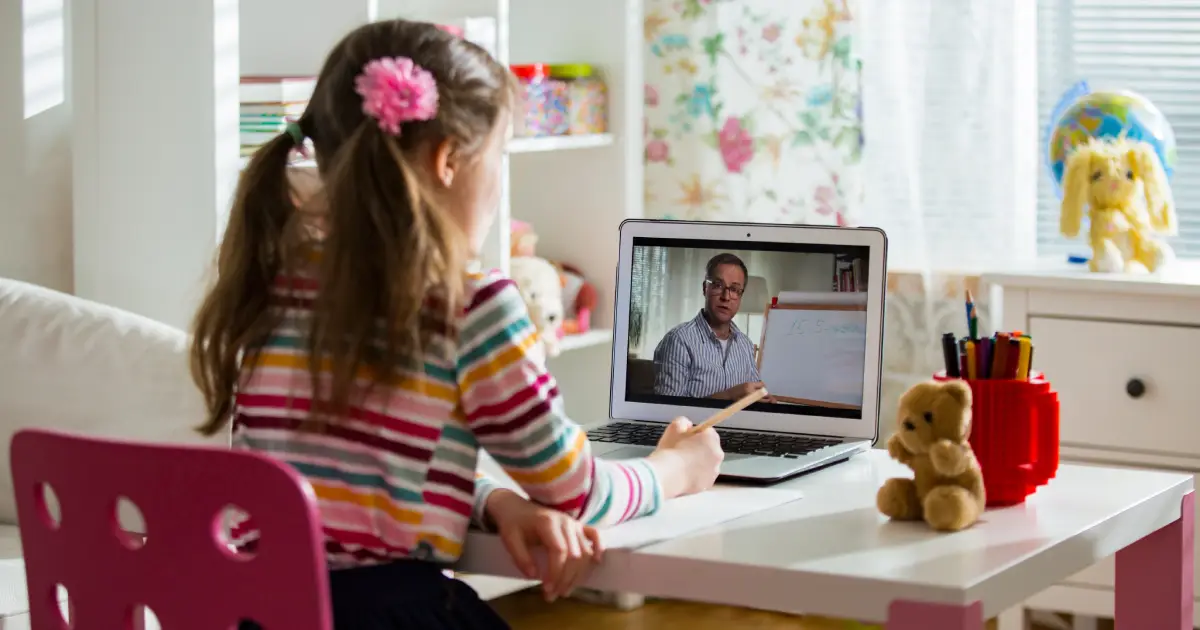
With technology advancing rapidly, online learning has become a vital part of education. From interactive platforms to AI-driven tools, there are countless resources available to support your child’s growth and development. As a parent, your guidance is key to ensuring a positive and productive learning experience.
Explore the sections below to discover how you can support your child in learning online:

Online learning insights
Get a clear understanding of the basics of online learning, including the role of AI in education, the benefits it offers, and how to address common challenges.
Online learning resources
Find tailored recommendations for the best online learning tools and platforms, organised by age group. From early years to teens and beyond, there’s something for everyone.

Tips for online learning
Learn how to create a positive learning environment, use AI tools effectively, and balance screen time with offline activities to support your child’s learning.
Supporting children with additional needs
Skill-building using tech is a great way to redirect a child with additional needs from endless scrolling or streaming. It can help make screen time more meaningful while supporting your child’s development.
Explore the following tips to help your child use their screen time to build skills.
If your child is watching YouTube or TikTok endlessly, encourage them to make their own videos and content on separate apps. Importantly, they shouldn’t post content without you first reviewing it, but do encourage them to learn skills around content creation.
Similarly, if they play Roblox, encourage them to create their own game on Roblox Studio or to use platforms like Scratch to make games.
Instead of letting them watch endless short-form videos with no educational value, encourage them to find how-to videos to teach them new skills such as drawing their favourite characters, learning an instrument or baking cakes (under supervision). You could even try doing some of these together.
Instead of fast-paced fighter games, encourage your child to explore slower-paced games (or do so together). Choose adventure-style games which tell a story, encourage problem-solving or require perseverance to teach key skills to your child.

Supporting resources
See the latest articles on online gaming topics and find resources to support children and young people.
The Online Together Project

Digital Matters

Device parental controls

Online safety teaching resources
 Close video
Close video
Close video
Close video
Close video
Close video
Close video