


How to set parental controls on iD Mobile
You will need a credit card to verify you’re over 18 before making any changes.
Restrict adult content
While content restrictions are activated on the device, if anyone tries to access an age-restricted site (gambling, adult content, etc.) they’ll be directed to the iD Network content control webpage instead.
To enable the adult content filter:
Step 1 – Open your iD Mobile app and go to the Plan page.
Step 2 – Select Manage your iD services.
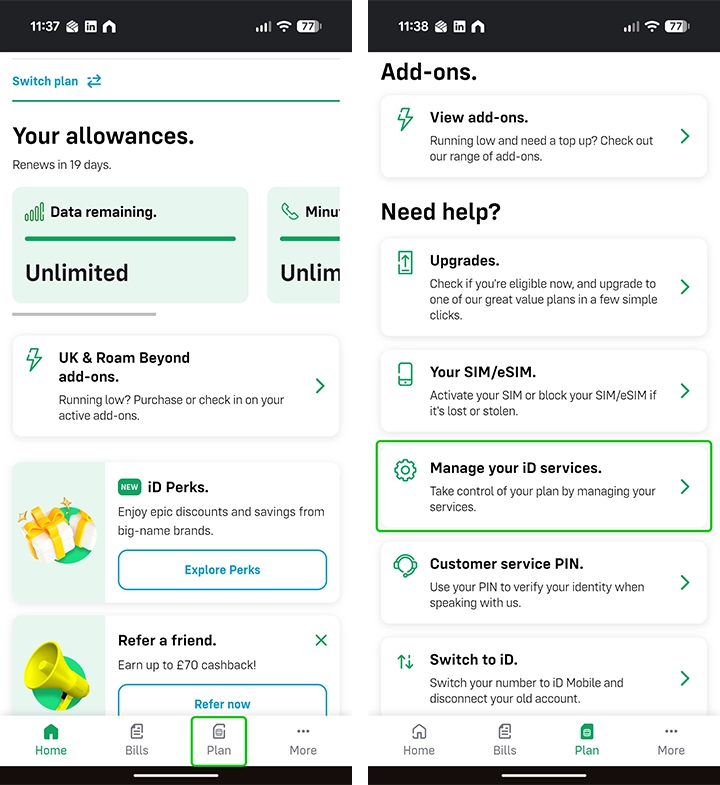
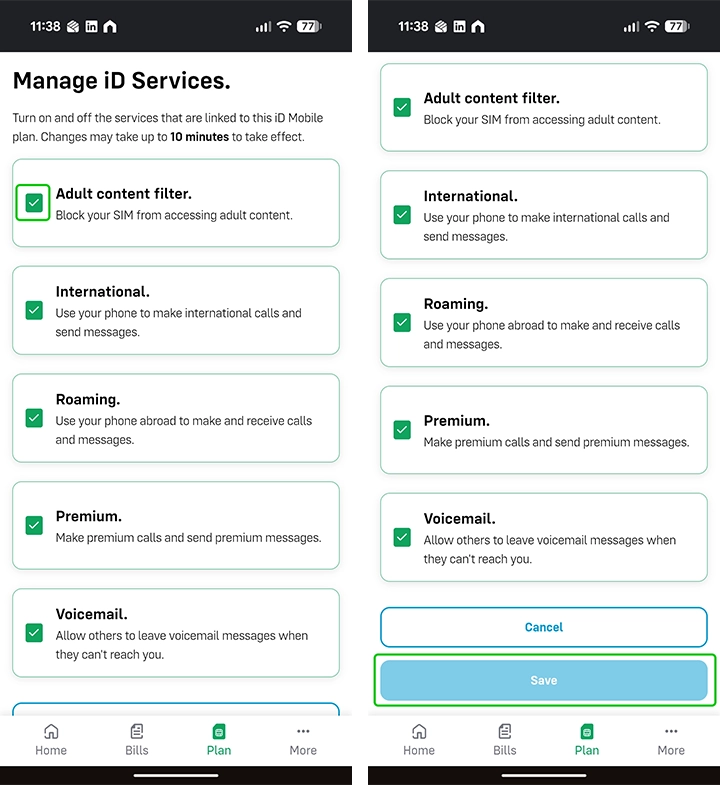
Step 3 – Ensure the Adult content filter is toggled on.
Step 4 – Click Save to confirm.
Set a bill cap
Bill capping allows you to limit your child’s extra usage charges, to prevent them from over using their phone and increasing their monthly bill without your knowledge.
To set a bill cap:
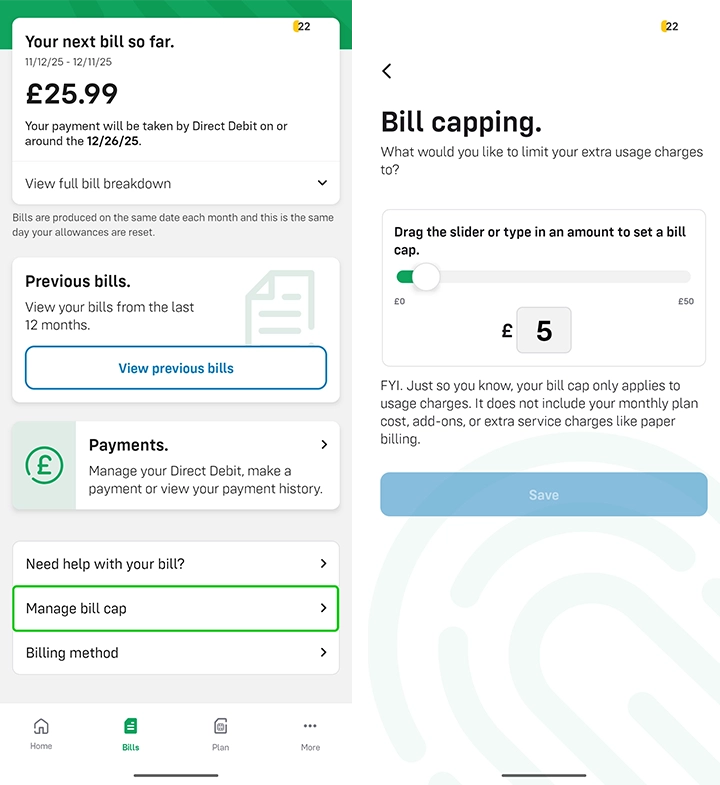
Step 1 – Open your iD Mobile app and go to the Bills page.
Step 2 – Select Manage bill cap.
Step 3 – Move the slider or type in the amount you want to limit the bill to.
Step 4 – Click Save to confirm.
How to set parental controls on iD Mobile
More resources

View more guides
Discover more parental controls to manage children’s devices, apps and platforms for safer online experiences.