

What you need to know
- Minimum age rating – 13+
- Available on – iOS, Android, browser
- Main features – Chatbot, image generation
How to set parental controls on Grok
How to enable Kids Mode
Grok has an option to enable ‘Kids Mode’, which limits access to mature content and makes responses more appropriate for younger users.
To enable Kids Mode:
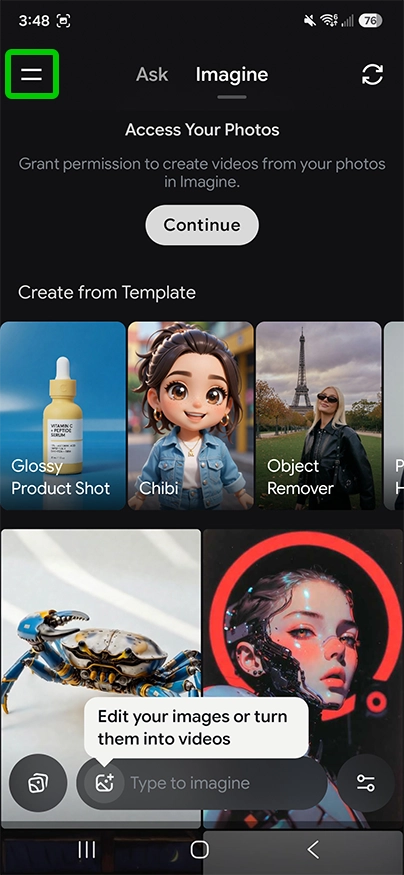
Step 1 – Open Grok and click the two horizontal lines in the top left.
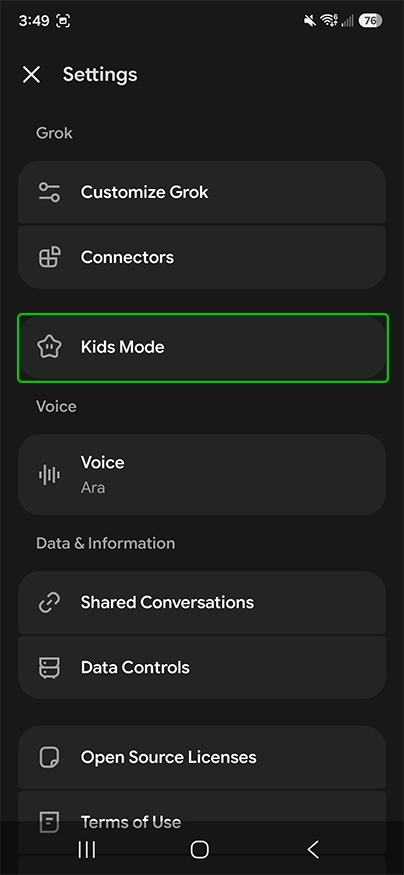
Step 2 – Within settings, select Kids Mode.
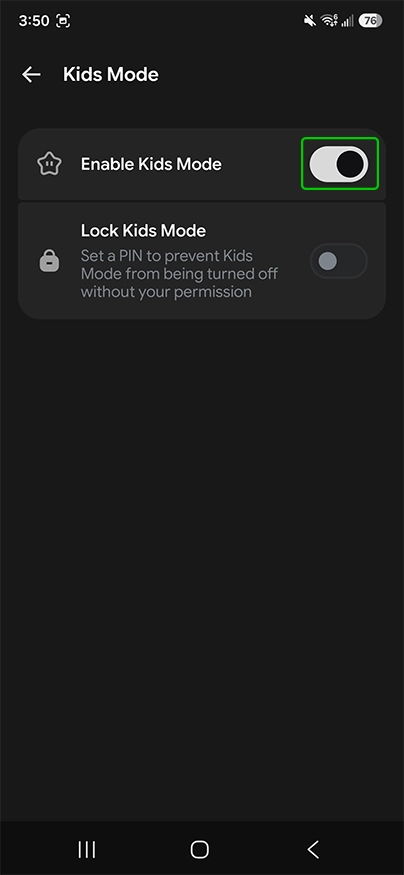
Step 3 – Within the Kids Mode settings, turn on the top toggle to enable Kids Mode.
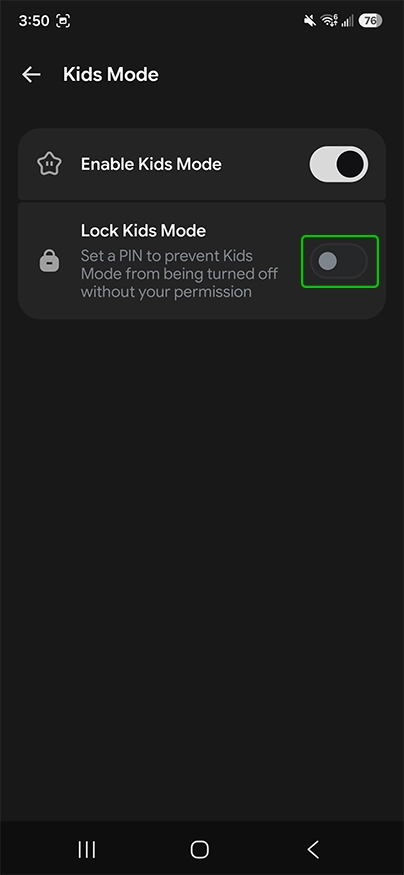
Step 4 – Once Kids Mode is enabled, switch on the lower toggle to set a PIN and prevent Kids Mode from being turned off without your permission.
Step 5 – Choose PIN, confirm it and then select Set.
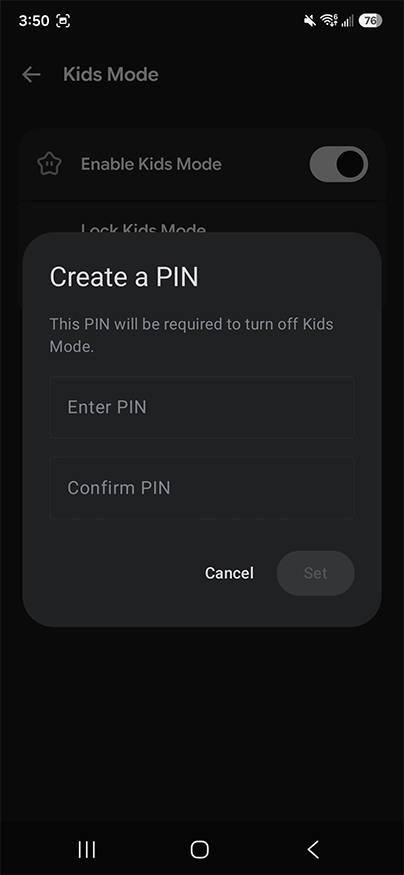
How to set parental controls on Grok

View more guides
Lorem Ipsum is simply dummy text of the printing and typesetting industry. Lorem Ipsum has been