

How to set parental controls on Disney Plus
You will need access to a device with the Disney Plus app and access to your family’s or child’s account.
How to create a Junior mode profile
Step 1 – Login to Disney Plus.
Step 2 – On the profile selection screen, choose Add Profile.

Step 3 – Enter your child’s details.
Step 4 – Switch on the toggle next to Junior mode.

Your child will now have access to Disney Plus Junior, which only features content appropriate for young children.
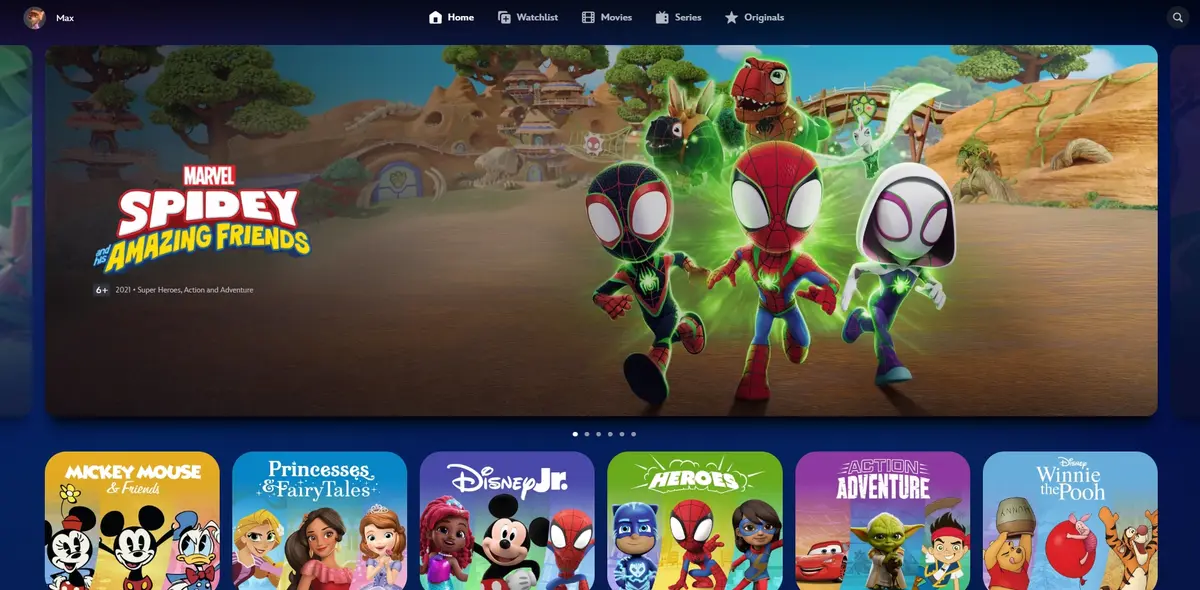
How to set a maturity level
Step 1 – Login to Disney Plus.
Step 2 – On the profile selection screen, choose Add Profile.
Step 3 – Enter your child’s details.
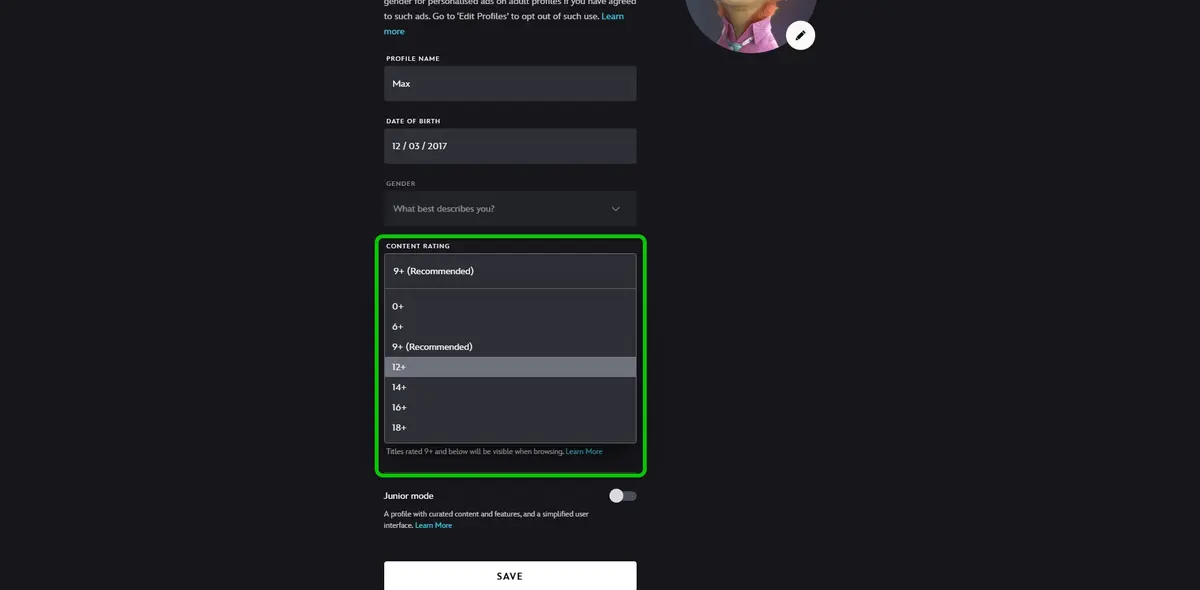
Step 4 – Select CONTENT RATING to edit the age rating of content that will be visible to this account.
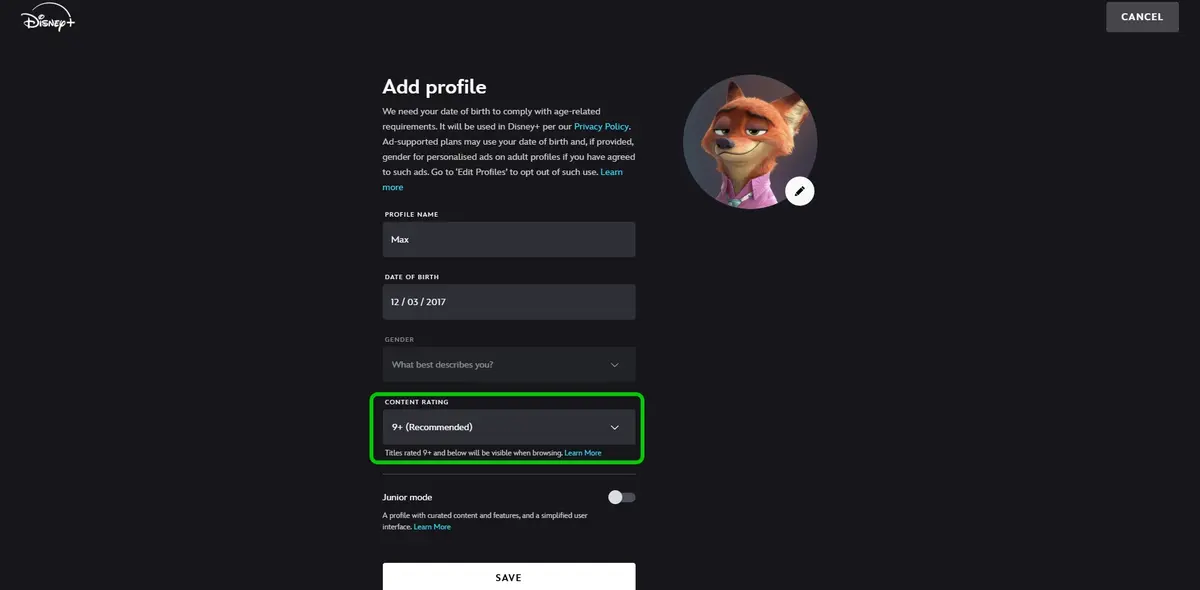
Step 4 – Select the age that best suits your child. Disney Plus will recommend an age level based off the date of birth you inputted.
How to set parental controls on Disney Plus
More resources

View more guides
Discover more parental controls to manage children’s devices, apps and platforms for safer online experiences.