

How to set parental controls on Channel 4
You will need to access your My4 account or you can set up the age restrictions on your child’s account. Channel 4 currently has no child accounts or profiles, however, the minimum age requirement to register an account is 16 years old according to the Terms of Use.
Managing parental controls
To set parental controls on your child’s Channel 4 account:
Step 1 – On the home page click on the account icon at the top right.

Step 2 – When the sub menu drops own, click Account Settings.

Step 3 – Inside Account Settings, click Parental Controls from the side menu.
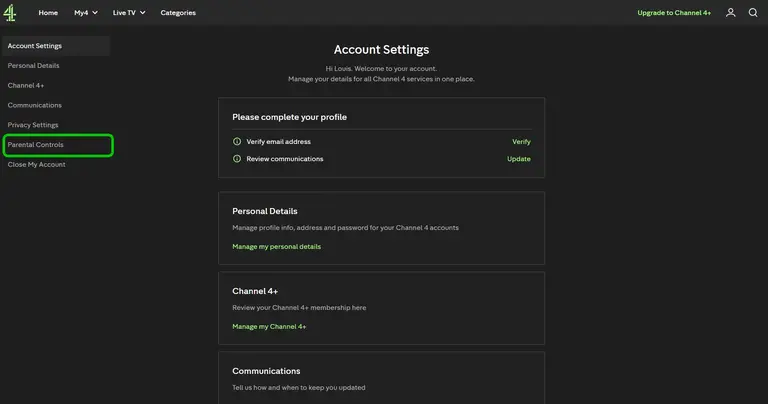
Step 4 – Click the Edit button under the Manage parental controls header.

Step 5 – In the Manage parental controls:
- Choose 16+ or 18+ rated content to set up the viewing restriction.
- Select a 4 digit pin. This will be required to view rated content. The pin will also be requested for each login to Channel4.com
Click save to confirm your settings.

Channel 4 app controls
Remember to activate the same parental controls across different devices.
To set parental controls on your child’s Channel 4 app:
Step 1 – Launch the app on your phone or tablet and go to My Shows.
Step 2 – Tap the Settings gear icon in the top right.
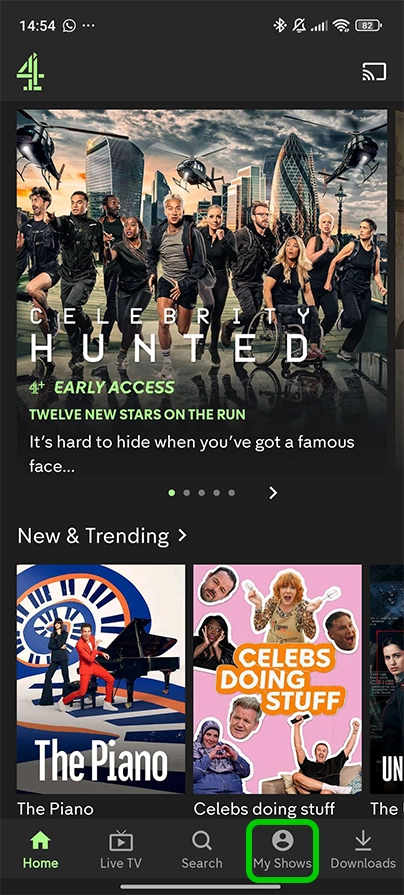
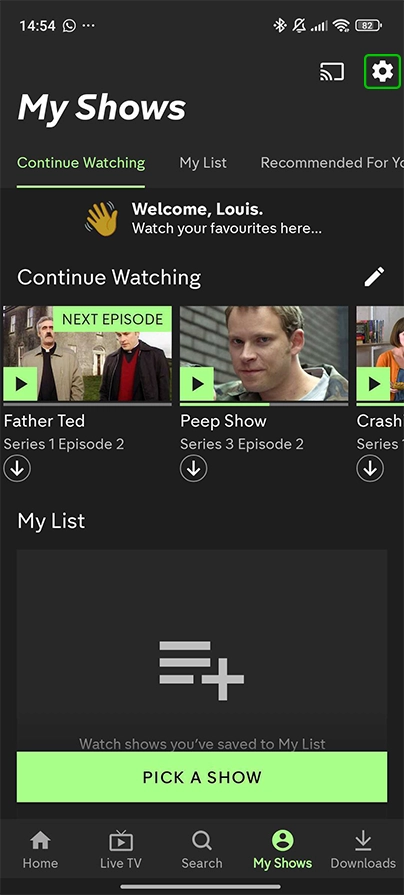
Step 3 – Select Manage PIN under Parental Control on the menu

Step 4 – Here you will set the age restriction and 4 digit pin
- Choose 16+ or 18+
- Type in the 4-digit PIN you created online or create a new one
Confirm Enable Pin to lock it in.

Step 5 – Your PIN is already enabled. To change the PIN at any time you can disable then enable the pin again.
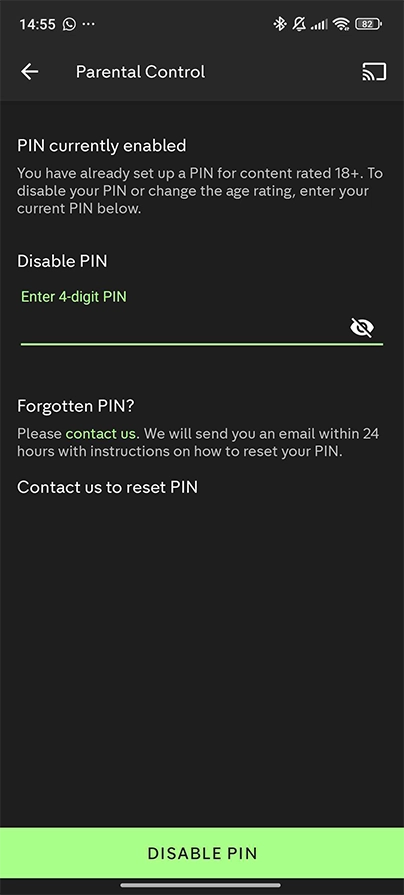
Each time you select a programme with an age rating you will be asked for a pin. If no pin is set, the viewer is asked to confirm that they are over 16 or 18 years of age for programmes with an age rating or guidance warning.
How to set parental controls on Channel 4
More resources

View more guides
Discover more parental controls to manage children’s devices, apps and platforms for safer online experiences.