

Video guide
 Close video
How to set parental controls on Pokemon GO
You will need access to your child’s Pokémon GO account.
Creating a parental account
Creating a parental account
Pokémon Go lets parents add children to their Pokémon Trainer Club account, allowing them to edit their child’s experience on the app to keep them safe.
To set up a Pokémon Trainer Club account:
Step 1 – Open the Pokémon Go app and select New Player.
Step 2 – Click on Pokémon Trainer Club.
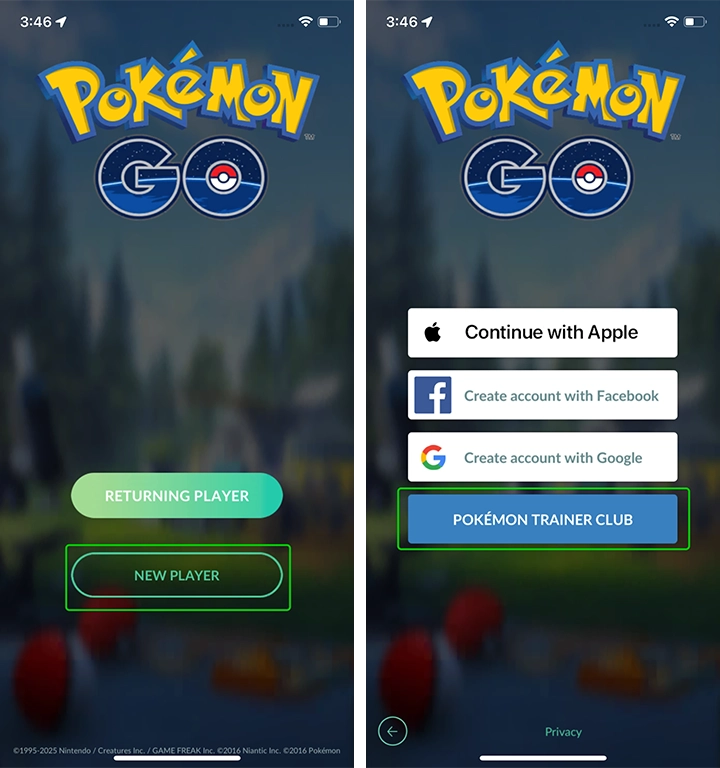
Step 3 – On the Pokémon Trainer Club login page, click Create an Account.
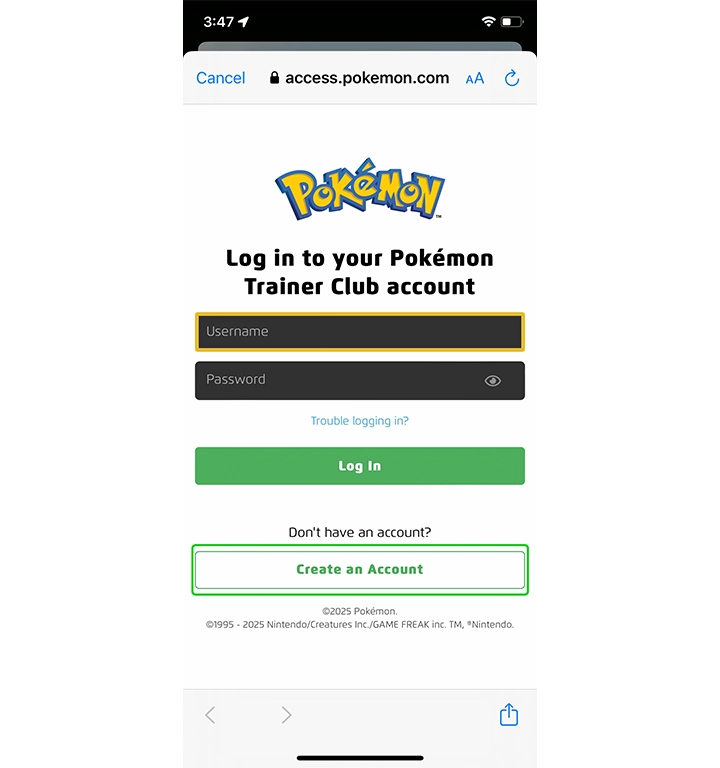
You will be taken through a standard account setup process, inputting an email address and choosing a username and password. Once this is complete, your Pokémon Trainer Club account will be created.
Adding a child to your account
Adding a child to your account
Once you have created a Pokémon Trainer Club account, you can add your child’s profile to it and manage it from your Pokémon Trainer Club account settings.
To add a child to your Pokémon Trainer Club account:
Step 1 – In the Pokémon Trainer Club settings select Add a Child.

Step 2 – On the Create Your Child’s Account page, fill in your child’s details such as their name, date of birth and login details.

Step 3 – Once your child’s profile has been added to your account, you can begin managing their settings. Go to Pokémon Go Settings to start editing them.

Step 4 – By default, children will not be able to access friends and social features or access sponsored content. To allow these, click the toggle boxes on the settings page.

Once you are done making changes, click Submit. These are the only controls that can be set on children’s Pokémon Go accounts.
Setting up your child’s account
Setting up your child’s account
If you have added your child’s profile to your Pokémon Trainer Club account, you can now set up their profile in Pokémon Go.
To set up your child’s Pokémon Go account:
Step 1 – On the Pokémon Go app home screen select New Player.
Step 2 – Click Pokémon Trainer Club and input your child’s login details.
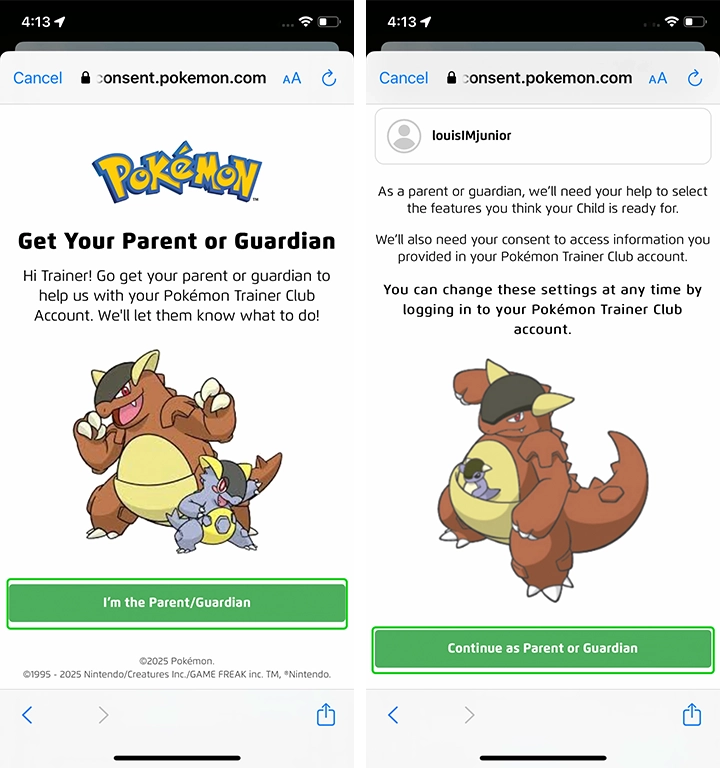
Step 3 – You will be taken to a page where you must confirm that you are the Parent or Guardian of the child. Click I’m the Parent/Guardian.
Step 4 – On the next page, select Continue as Parent or Guardian.
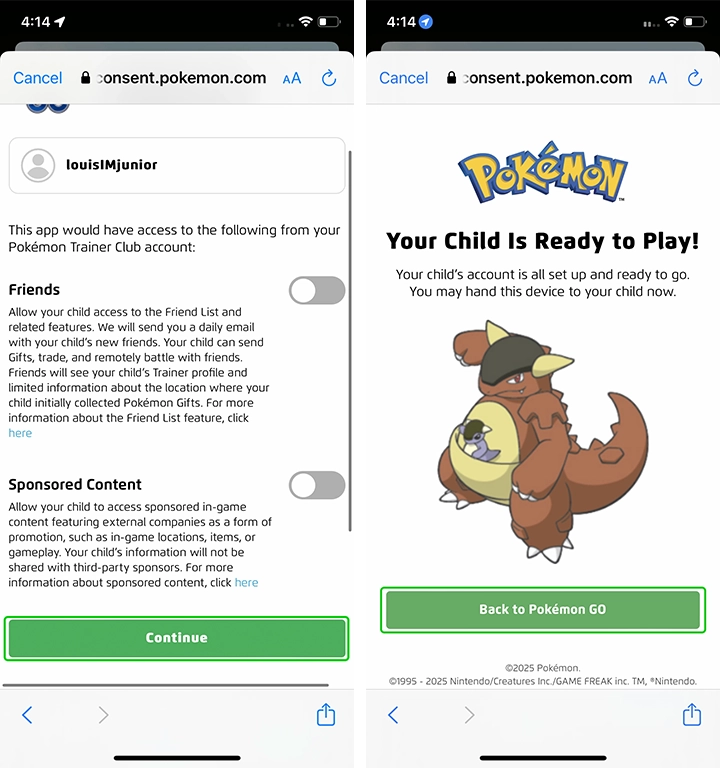
Step 5 – You will be shown your child’s parental permissions, and be given a chance to edit them again. Once you are happy with your child’s settings, click Continue.
Step 6 – Your child is now ready to play Pokémon Go with the security of parental controls. Tap Back to Pokémon Go to allow them to start playing.
How to set parental controls on Pokemon GO

View more guides
Discover more parental controls to manage children’s devices, apps and platforms for safer online experiences.