

How to set Zoom safety settings
You will need access to your child’s Zoom account.
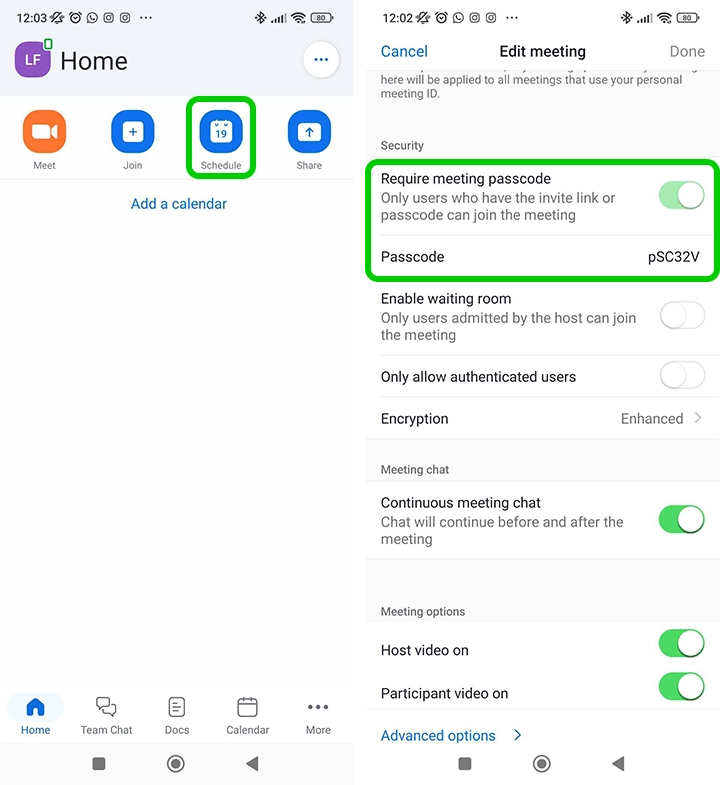
How to password protect your meeting
How to password protect your meeting
Step 1 – Log in to Zoom
Step 2 – Click on the Schedule icon.
Step 3 – Scroll down to Security and ensure that Require meeting passcode is toggled on.
For free versions of Zoom by default the ‘Meeting Password’ under ‘Password’ will be set.
Where to lock down your meeting
Where to lock down your meeting
Once you have started your meeting, do the following:
Step 1 – Tap More.
Step 2 – Go to Host tools.
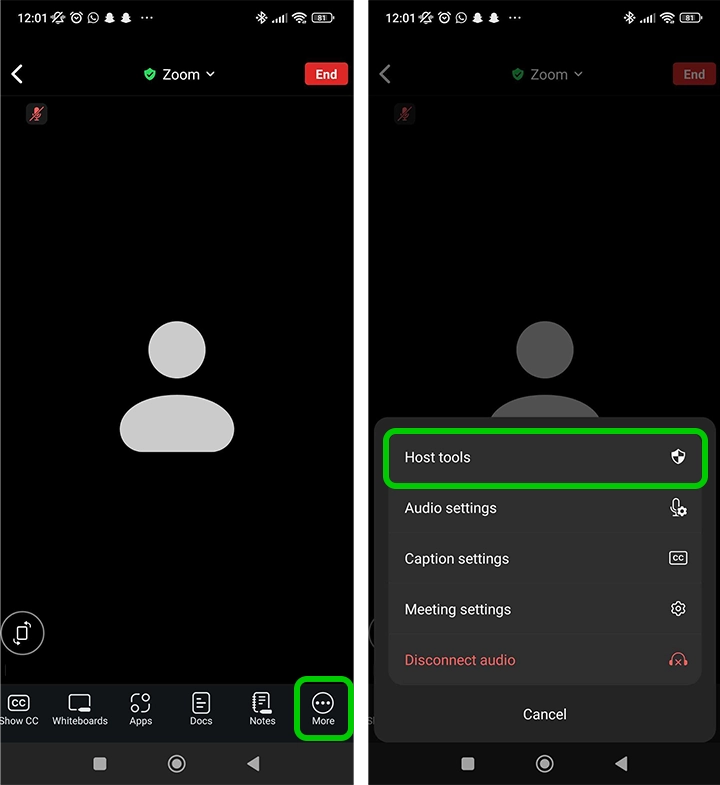
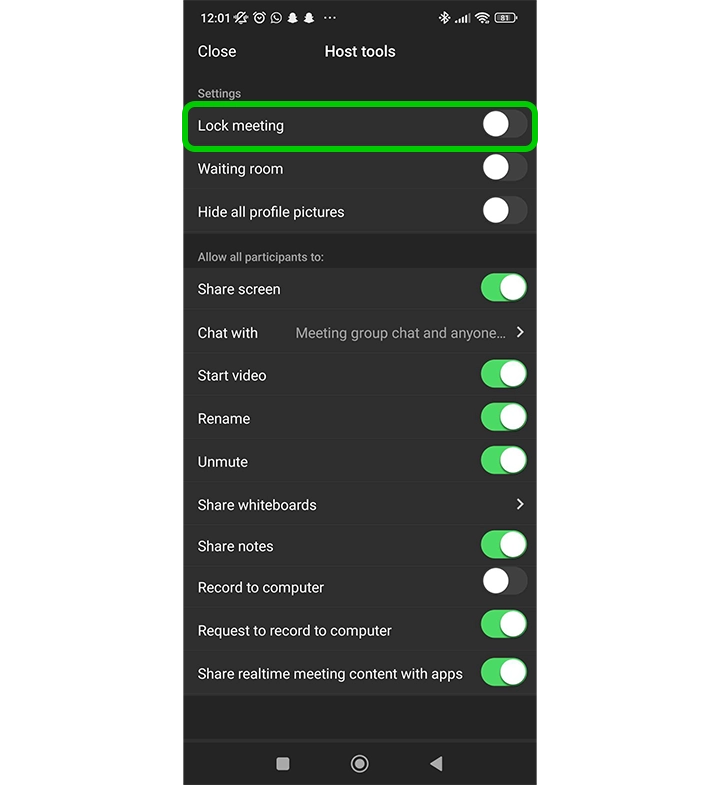
Step 3 – Under Settings, tap the Lock Meeting toggle as soon as all participants have arrived.
How to turn off participant screen sharing
How to turn off participant screen sharing
Once you have started your meeting, do the following:
Step 1 – Tap More.
Step 2 – Go to Host tools.
Step 3 – Under Allow all participants to, disable Share screen.

How to use Waiting Rooms
How to use Waiting Rooms
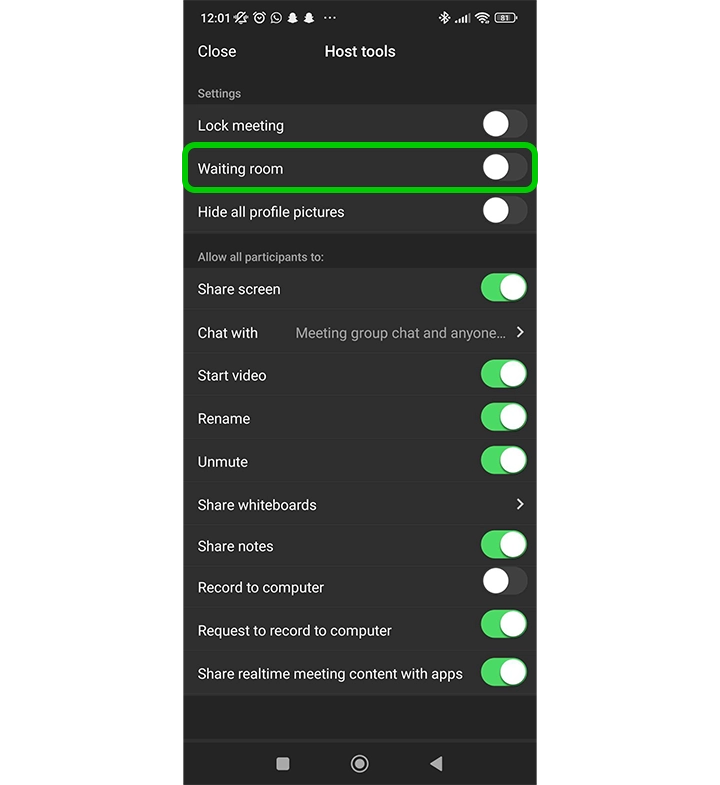
Step 1 – Tap More.
Step 2 – Go to Host settings.
Step 3 – Under Settings, enable Waiting room.

View more guides
Discover more parental controls to manage children’s devices, apps and platforms for safer online experiences.