

Video guide
 Close video
How to set parental controls on BBC iPlayer
You will need access to your or your child’s BBC iPlayer account.
Enabling PG Lock
Enabling PG Lock
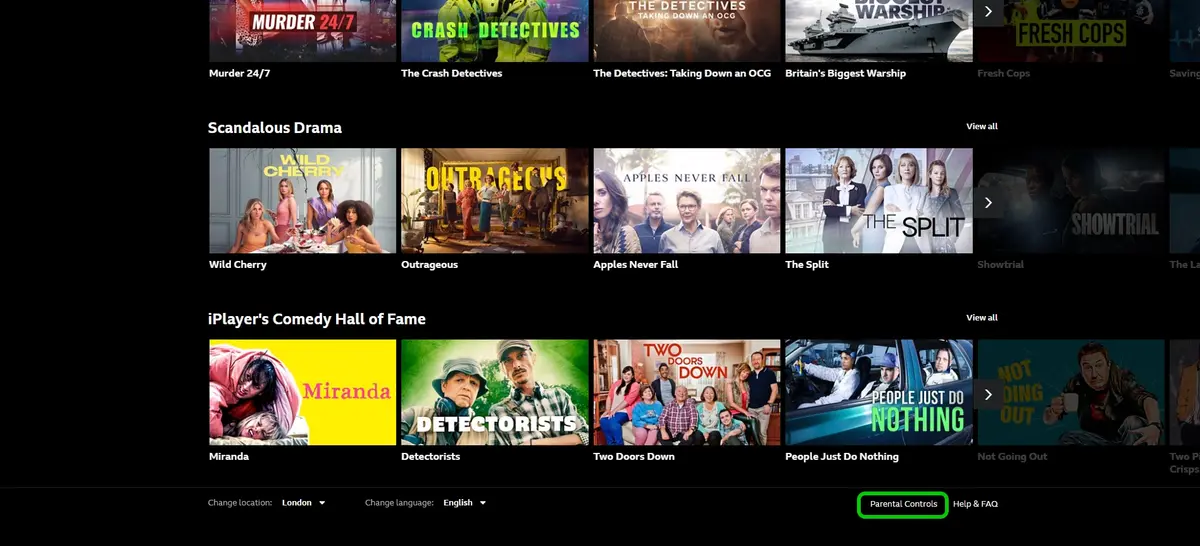
Step 1 – Scroll to the bottom of the iPlayer homepage and select Parental Controls.
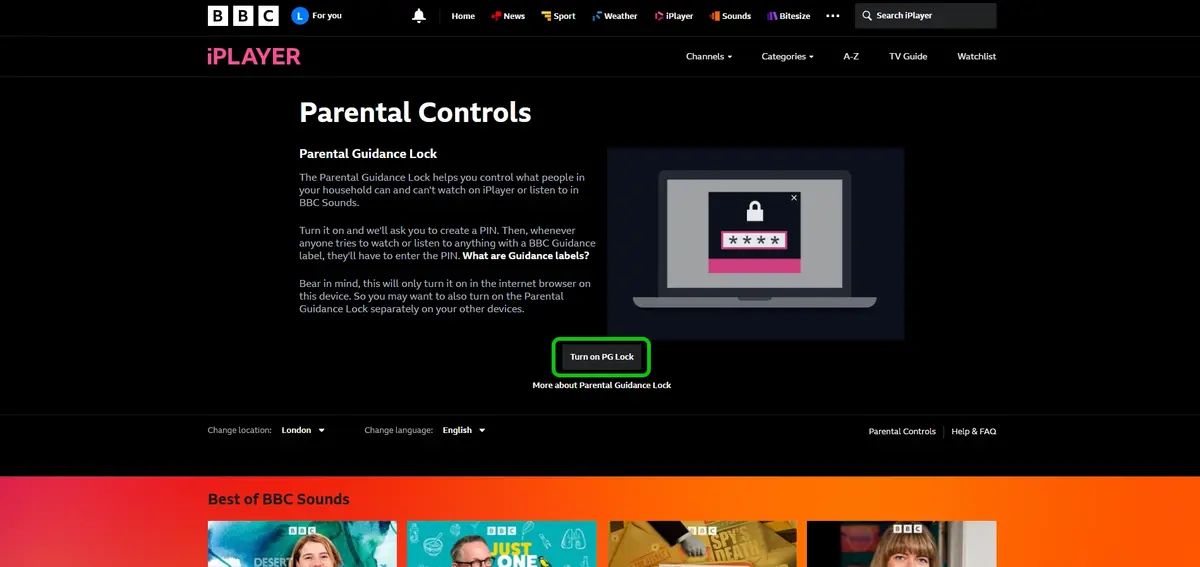
Step 2 – On the Parental Controls page, select Turn on PG Lock.
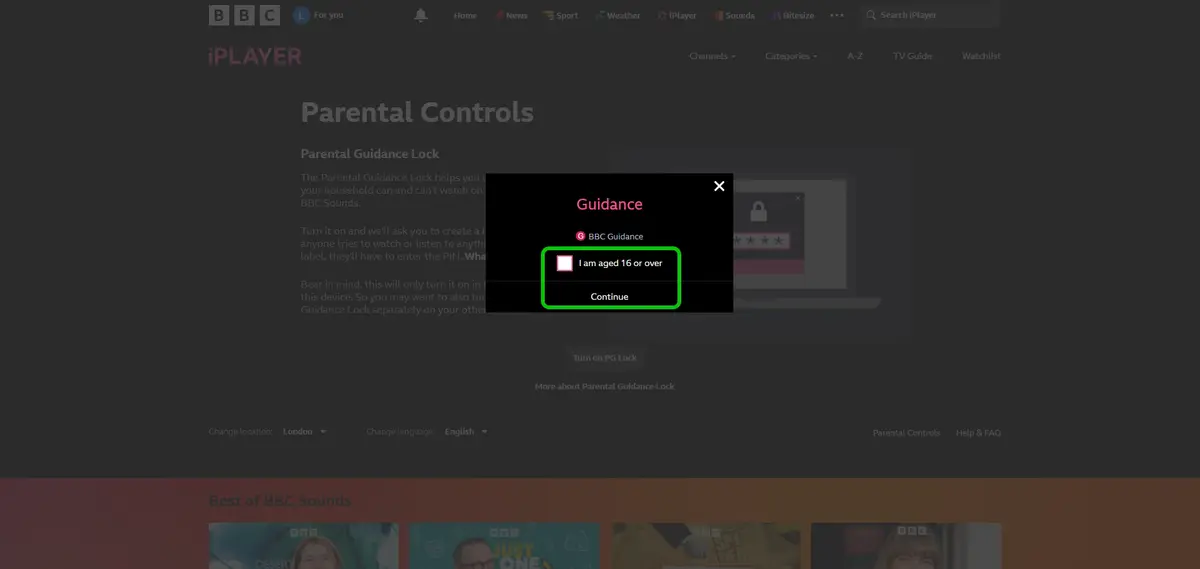
Step 3 – Check the box marked I am aged 16 or over.
Step 4 – Click Continue.
Step 5 – Choose a 4 digit PIN.
Step 6 – Click Activate.

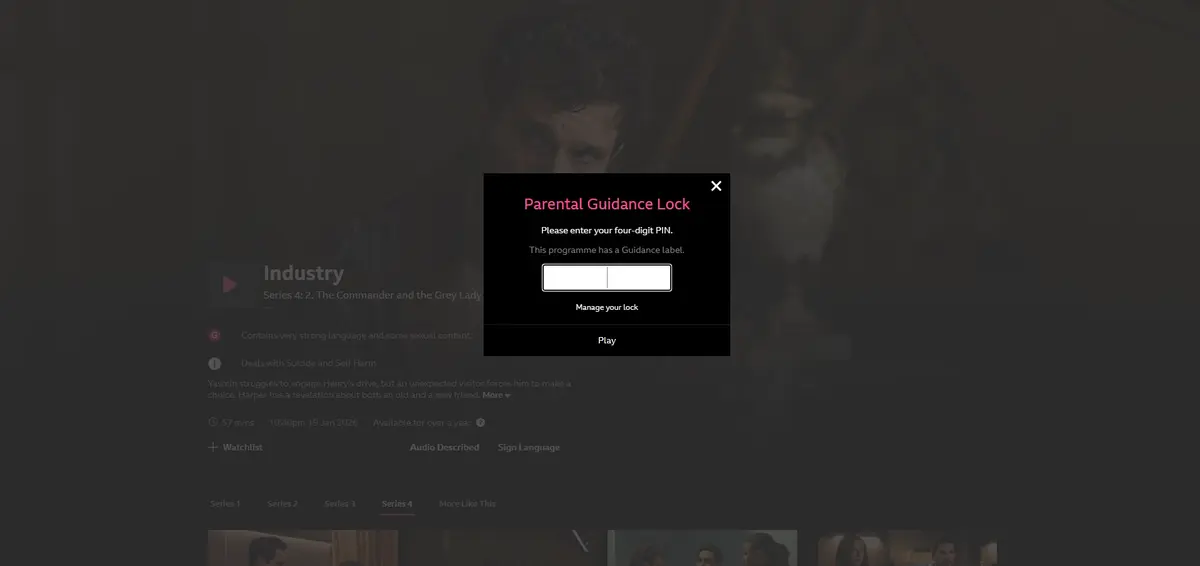
When anyone tries to watch content marked with a ‘Guidance’ label, it will ask for the PIN to be input before the content can be viewed.
Creating a child account
Creating a child account
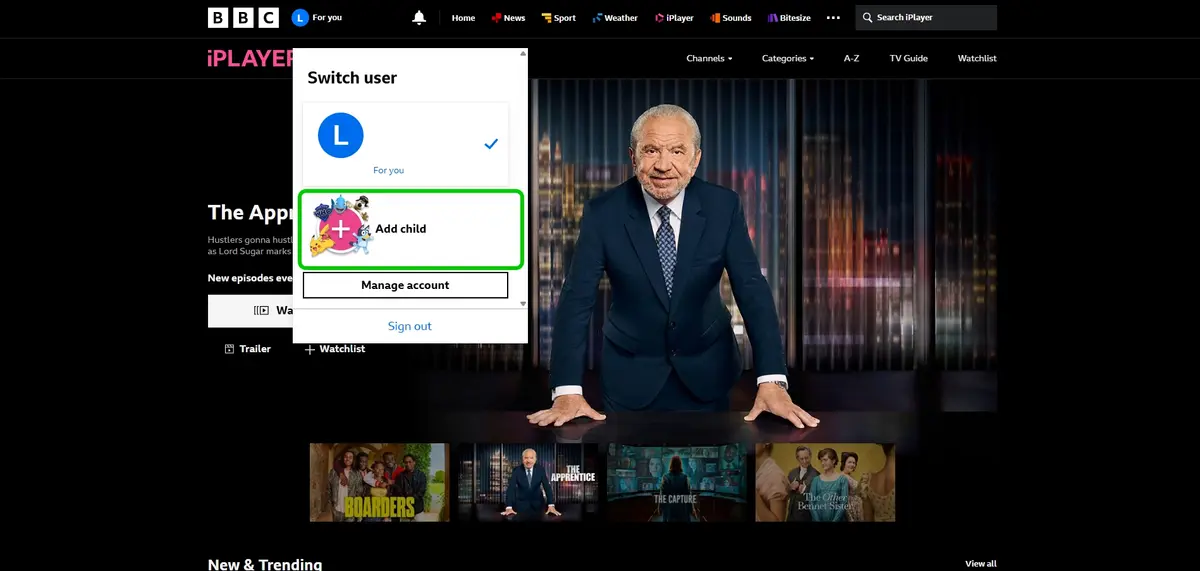
Step 1 – From the iPlayer homepage, select For You.
Step 2 – Select Add child.
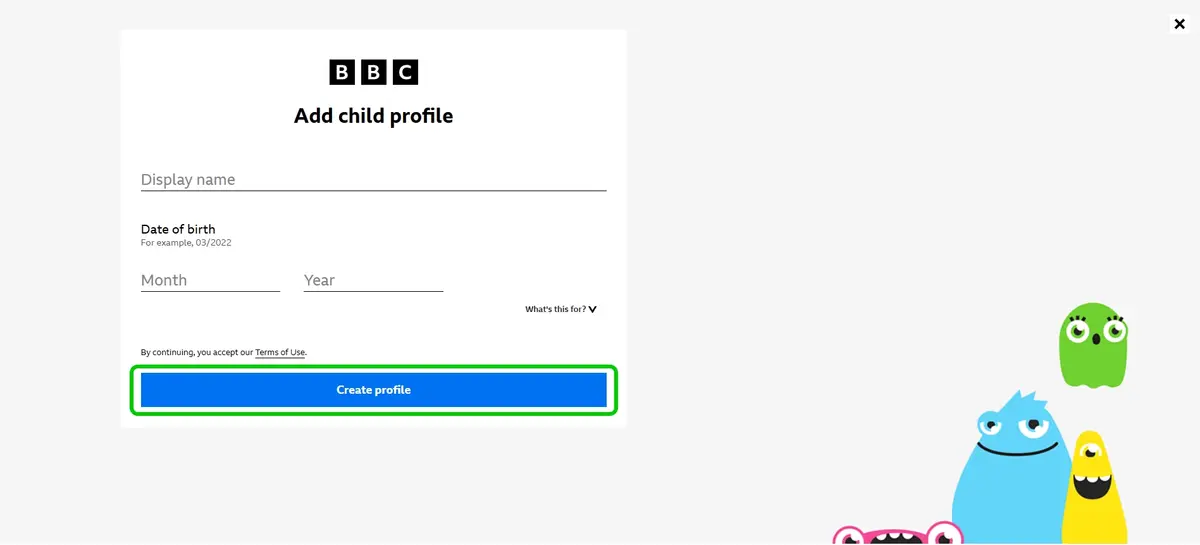
Step 3 – Input your child’s details.
Step 4 – Click Create profile.
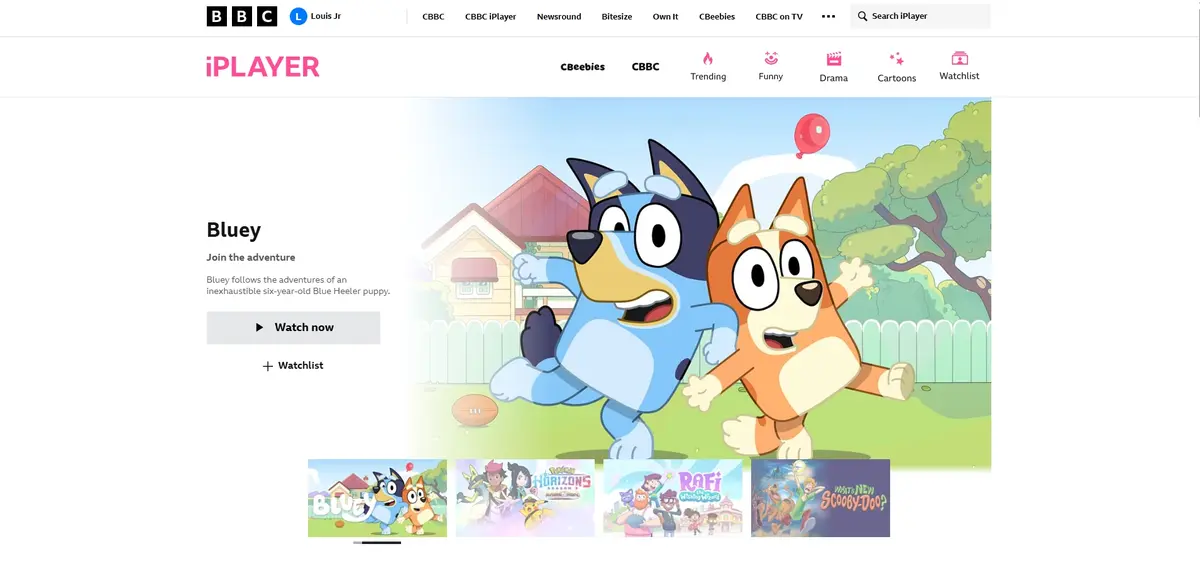
Your child will now be able use iPlayer while only having access to child-appropriate content.
Enabling parental controls on app
Enabling parental controls on app
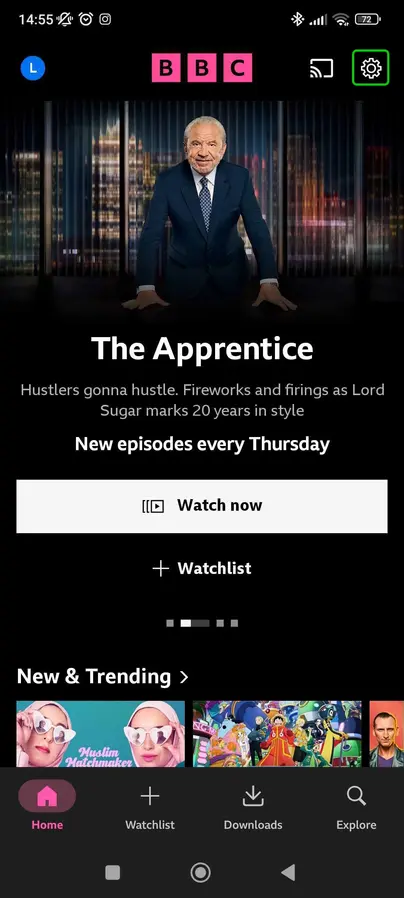
Step 1 – From the iPlayer app homepage, select the gear icon in the top right.
Step 2 – Within the settings, select Parental controls.

Step 3 – In the Parental controls menu, switch on the toggle and fill in security questions.
Step 4 – Use the toggles to manage parental controls.
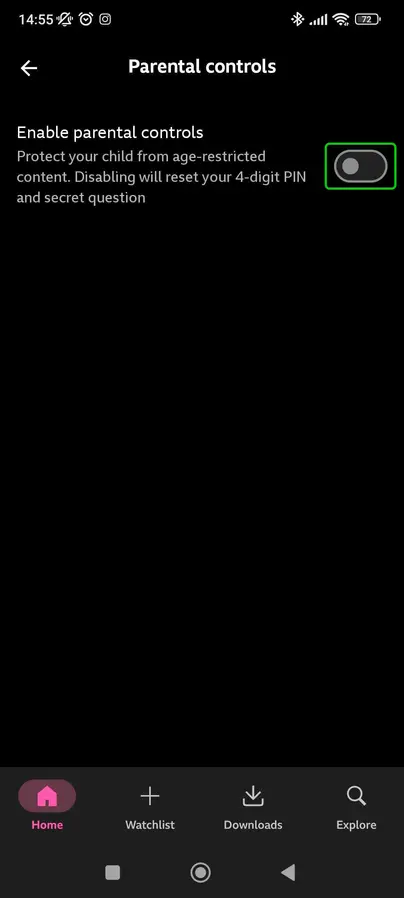
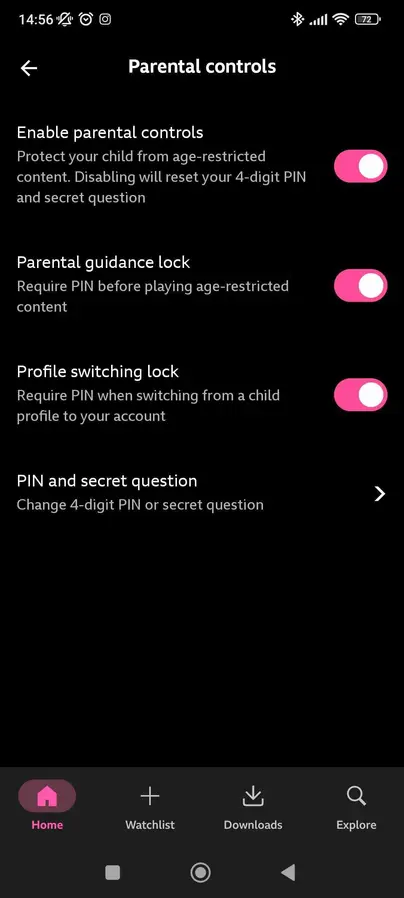
How to set parental controls on BBC iPlayer
View more guides
Discover more parental controls to manage children’s devices, apps and platforms for safer online experiences.