How to set controls on Garmin Bounce 2 smartwatch
To begin setting up parental controls on your child’s Garmin Bounce 2 smartwatch, you’ll need a Garmin account and the Garmin Jr. app installed on your phone or tablet
How to set location boundaries
How to set location boundaries
You can set up geofenced boundaries around specific locations. You’ll receive alerts if your child leaves these areas, helping you stay aware of their location.
To set boundaries on the Garmin smartwatch:
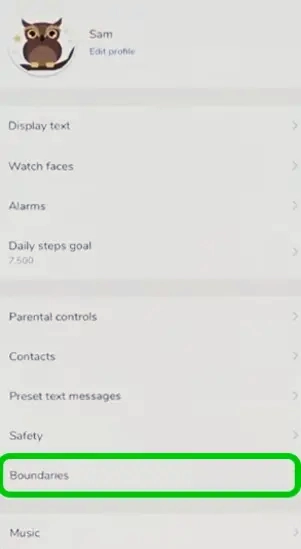
Step 1 – Open the Garmin Jr. app and select Settings.
Step 2 – Within the settings, select Boundaries.
Step 3 – Click the + sign in the top right corner to add a new boundary.


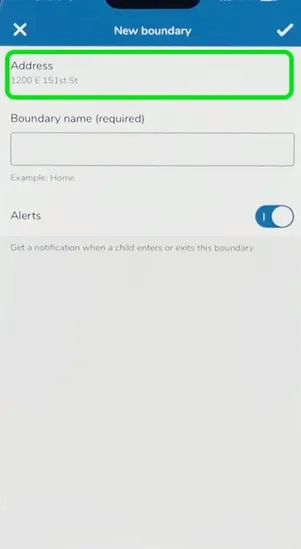
Step 4 – Click Address to choose the area of the boundary.
Step 5 – On the map, choose where to place the boundary and how big it should be. When you’re done, go back to the New Boundary page, input a name and click the checkmark in the top right corner.

Adding a family member
Adding a family member
You can add other people with Garmin accounts to your family group. Within this group, they can be given the role of Guardian, Caregiver and Communicator. Their role decides whether they can modify settings, view activity or just communicate with the child.
To add a new family member:
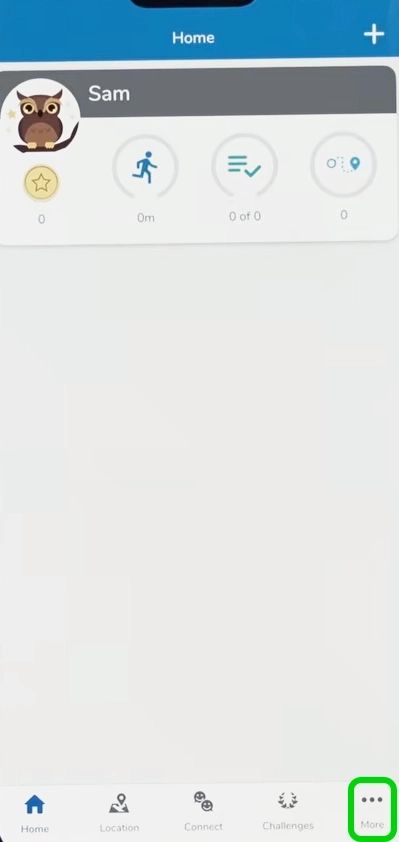
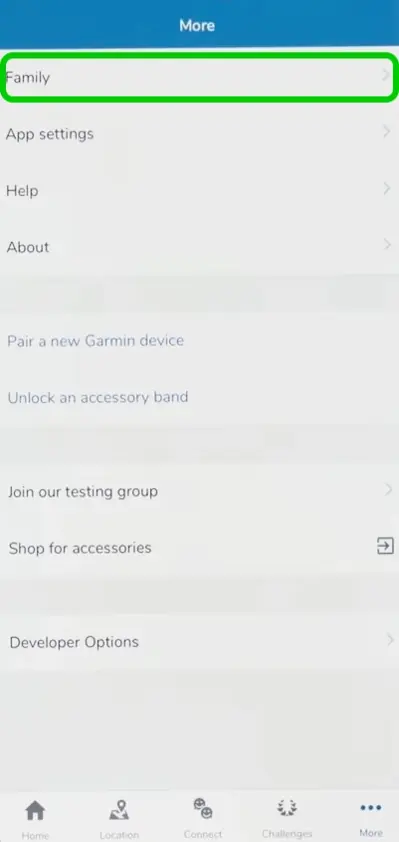
Step 1 – In your child’s profile, select More.
Step 2 – In the More section, click Family.
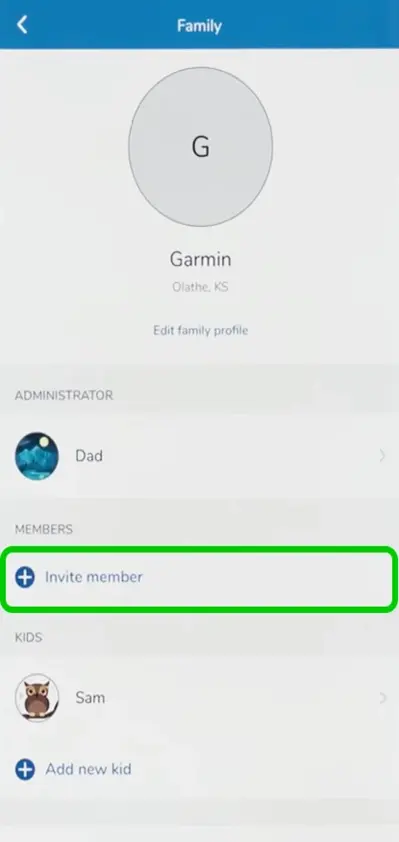
Step 3 – Select Invite member.
Step 4 – Enter the email address linked to the Garmin account of the person you wish to add, then select their permission level and click Continue.

Enabling school mode
Enabling school mode
Garmin allows you to enable school mode, which will automatically silence notifications during specific hours to prevent distraction.
To enable school time:
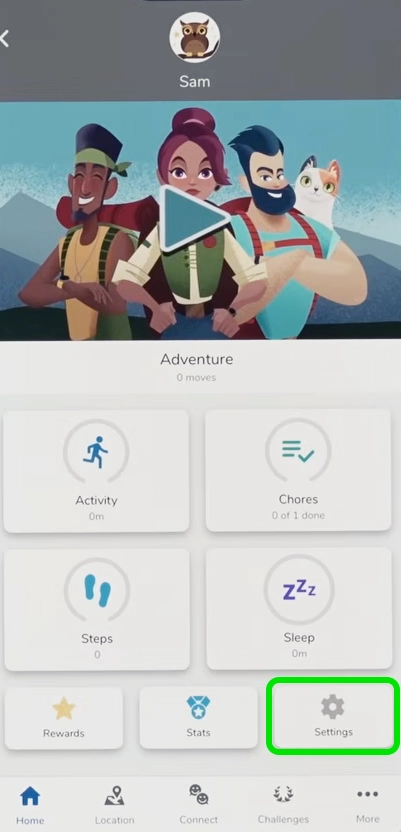
Step 1 – Select Settings.
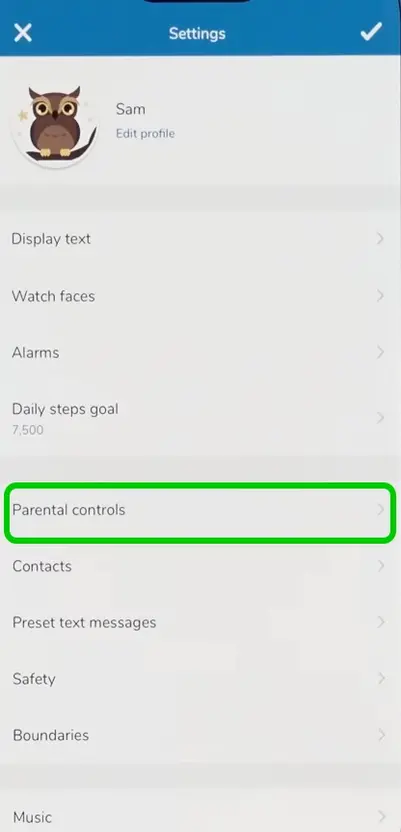
Step 2 – Within the settings, select Parental controls.
Step 3 – Click School mode.
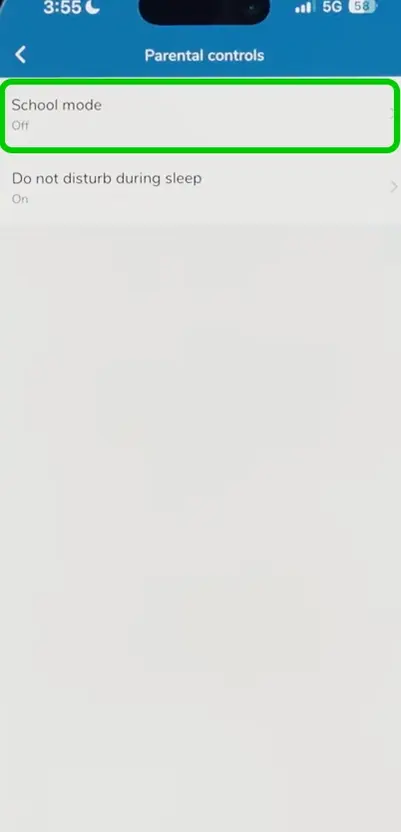
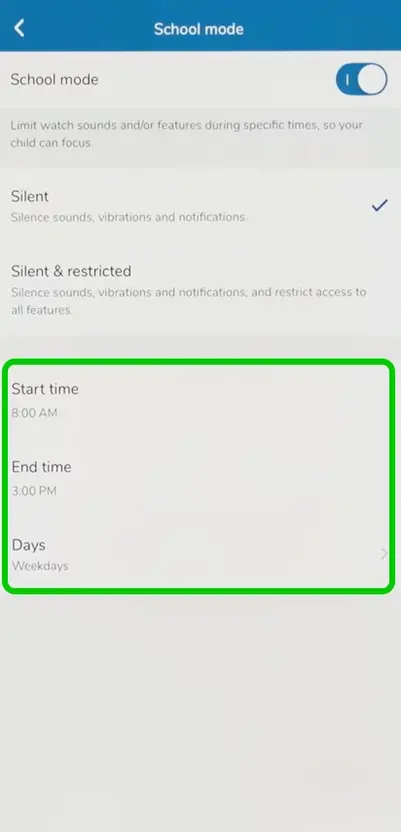
Step 4 – Switch on the toggle.
Step 5 – Begin setting the school time schedule by selecting a start and end time, and what days these will apply.

Set up Do not disturb during sleep
Set up Do not disturb during sleep
Notifications can be disabled during your child’s sleep window, to prevent their sleep from being disturbed.
To set up Do not disturb during sleep:
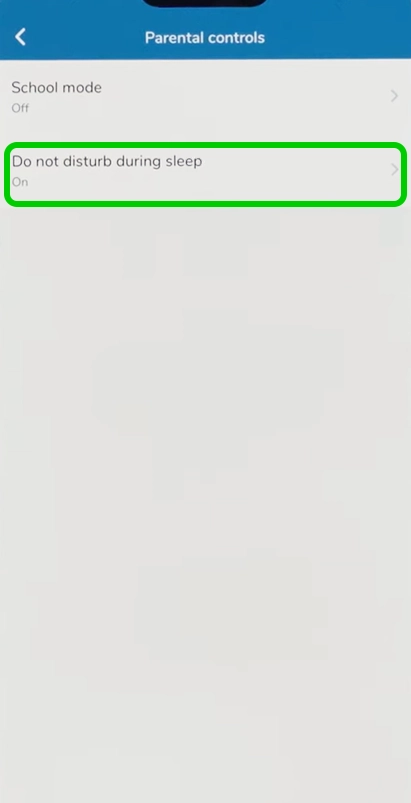
Step 1 – Within the parental controls menu, select Do not disturb during sleep.
Step 2 – Switch on the toggle to enable Do not disturb, and choose whether you want to just silence notifications or also restrict access to the watch.