

How to set parental controls on BT Mobile
You will need your BT account login. You can update parental controls via the BT website or through the My BT app.
The following steps were completed on desktop browser but the steps on mobile are the same.
How to set up parental controls
0
How to set up parental controls
Setting parental controls on your child’s mobile network means you can help protect them while they use mobile data.
To set up parental controls:
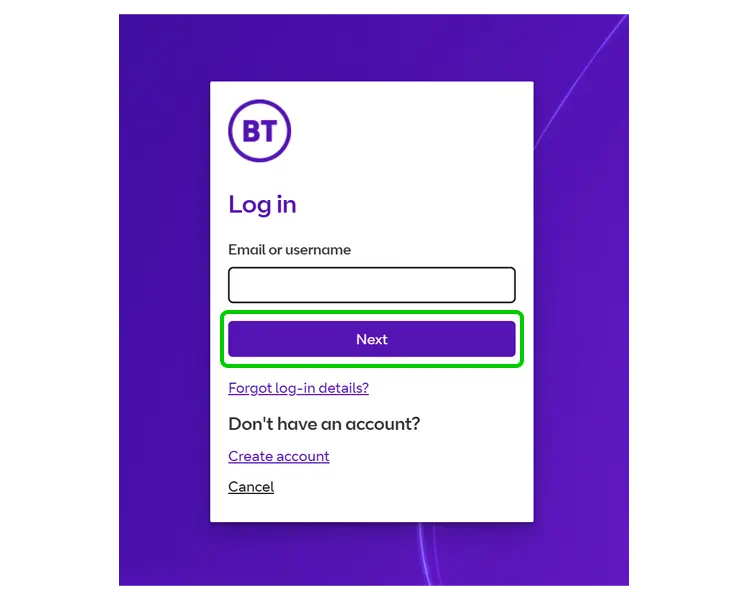
Step 1 – Login to your BT account.
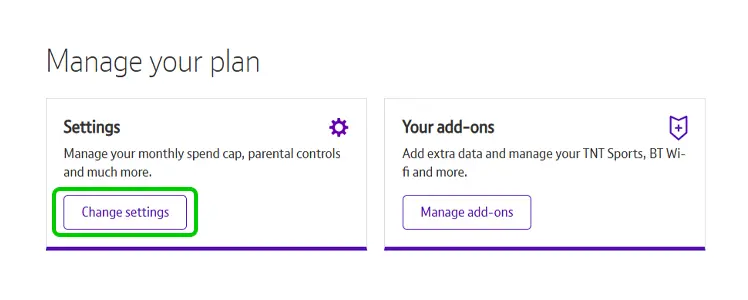
Step 2 – Under Manage your plan > Settings, select Change settings.
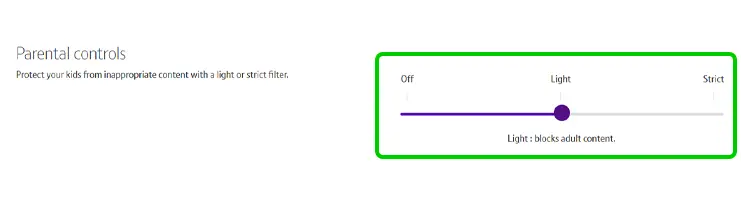
Step 3 – Find Parental controls and choose a restriction level for content.
- Off: No content restrictions are set, except that which features illegal content such as child abuse images.
- Light: Blocks sites featuring or related to alcohol, criminal skills, drugs, gore, hacking, hate, pornography, self-harm, sex advice, suicide, tobacco and violence. It also blocks texts to 18+ services. This is the default setting.
- Strict: All of ‘Light’ sites plus unmoderated social networking, online dating and chat rooms.
How to set parental controls on BT Mobile
View more guides
Discover more parental controls to manage children’s devices, apps and platforms for safer online experiences.